How StarRocks Connects to Collate
Real-time analytics tools rarely get the governance attention they deserve. Teams adopt something like StarRocks for the speed, wire it into their pipelines, and move on, without giving much thought to whether anyone outside the immediate team can find, understand, or trust what's in it. Collate's recent StarRocks integration, demonstrated in a walkthrough with PhoenixAI (formerly CelerData, the company behind StarRocks), closes that gap and can be seen in this video.
Setting Up the Integration
Whether you're running a local instance or using a managed service for StarRocks, the connection process remains straightforward: select StarRocks, provide your connection details, and you're ready to begin cataloging.
Once connected, Collate's ingestion agents work exactly as they do with any other database connector. You can configure schema filters and database filters to control what gets cataloged. The agents run, the catalog completes, and you're looking at your StarRocks metadata in the Collate interface.
Collate's documentation site provides detailed prerequisites, including the exact SQL commands you need to run to grant proper permissions to your service account. This level of specificity helps avoid common permission-related issues during setup.
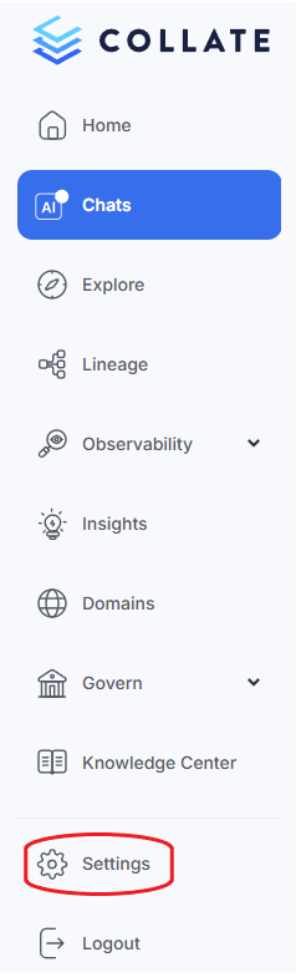
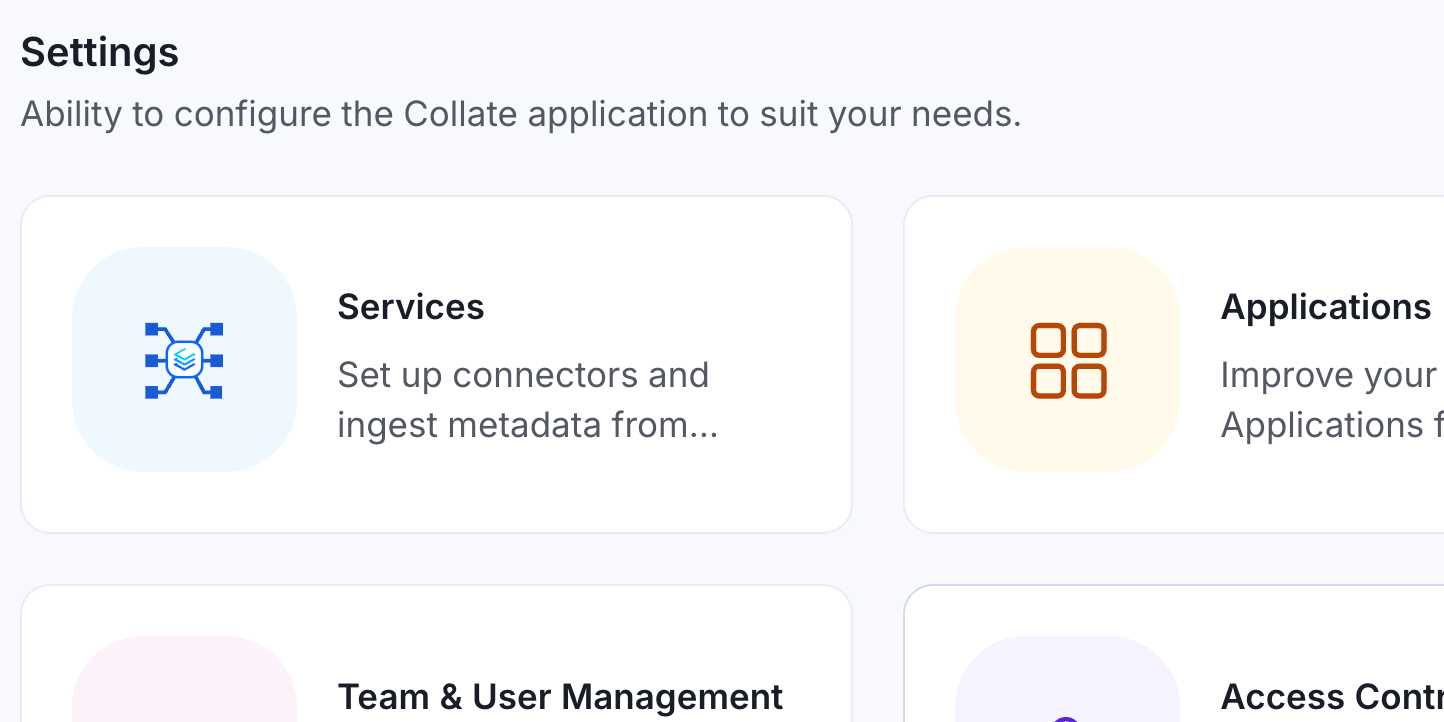
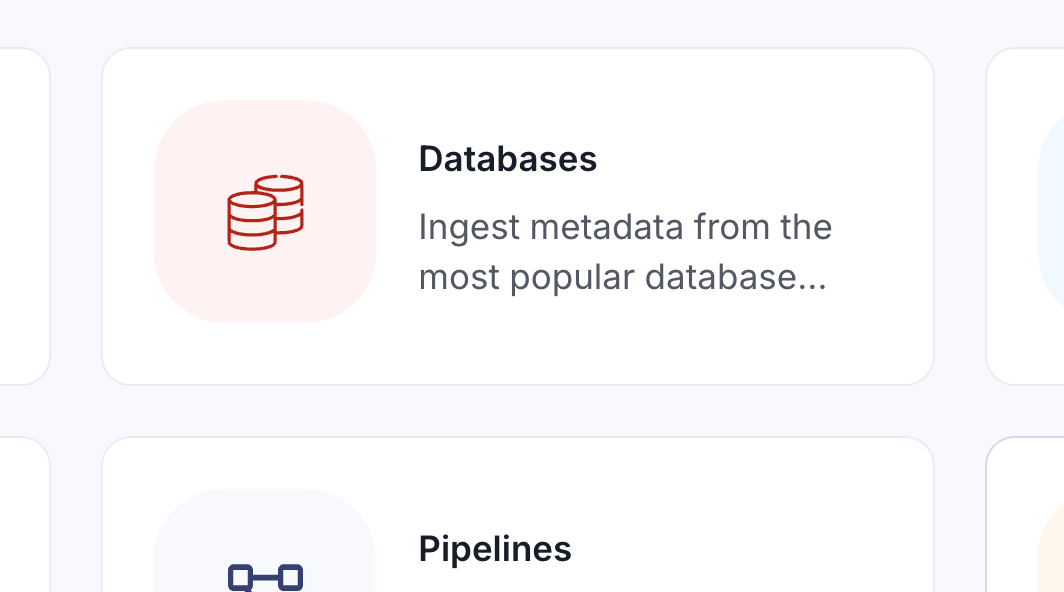
From Collate's landing page, navigate to Settings > Services > Databases, where StarRocks can be easily found among the extensive list of supported connectors. The process looks like this:
1. Navigate to Settings
Begin by accessing the services section in Collate's settings.
2. Add New Database Service
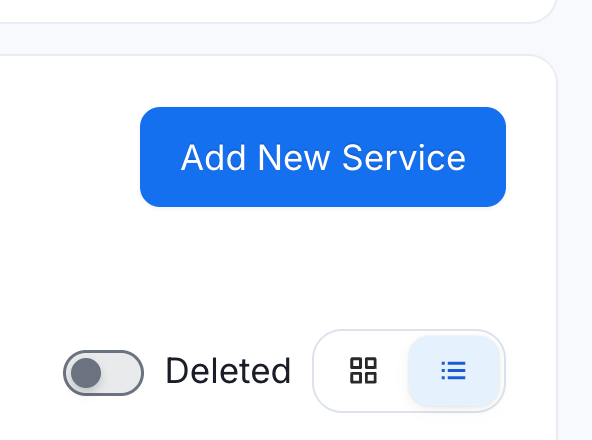
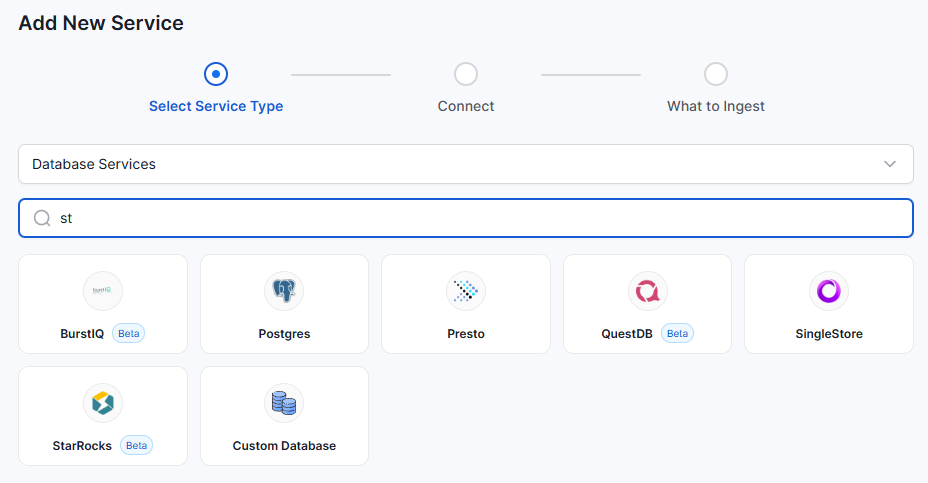
Select "Services", then "Databases", then "Add New Service", and search for StarRocks in the service list.
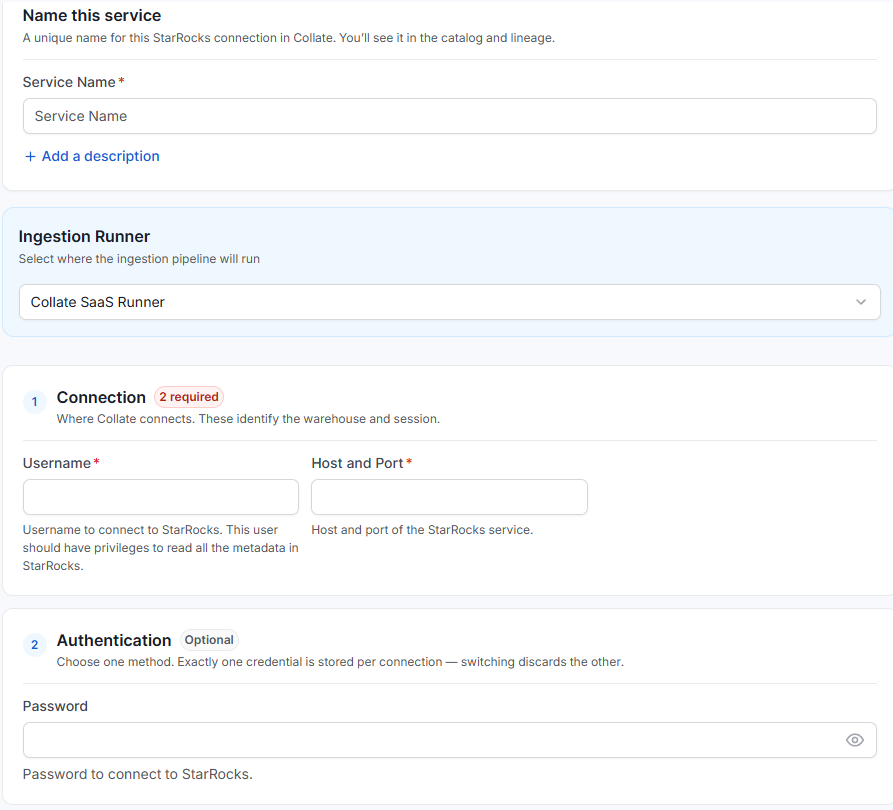
3. Configure the Connection
You'll need to provide:
- Username
- Host and port information
- Password
In PhoenixAI, you'll have a connection string that looks like:
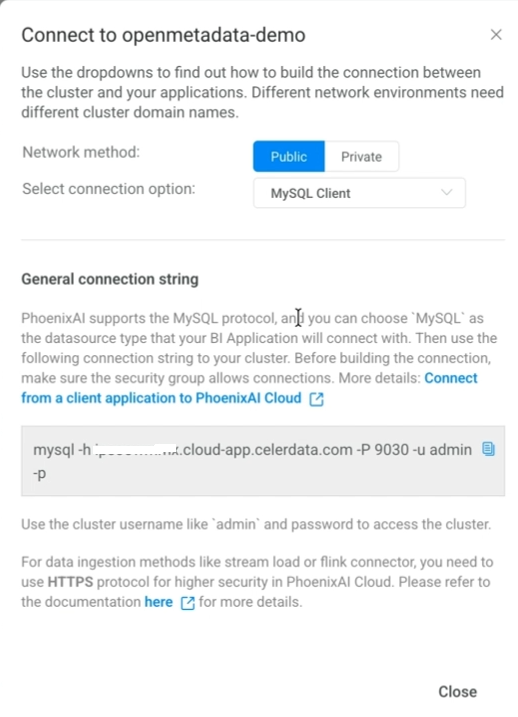
It will be functionally the same across all StarRocks options.
Discovering What You Have
Once the connection is active, Ask Collate is a great way to peruse what you have. Rather than navigating menus to find your StarRocks assets, you simply ask: "What data assets do we have for StarRocks?" Ask Collate parses your natural language question, returns all matching databases, schemas, views, and tables, and lets you click through to the asset details. This interactive session is what sets Ask Collate apart; you're not just reading a static report. You can drill into any result, explore relationships, and have a conversation with the system about your data.
When you click into a StarRocks database, you see the same asset viewer you'd use for a Snowflake table or Redshift schema. The same columns, the same structure, the same governance controls.
The same conversational approach extends to lineage. Asking whether a specific customer ID field has any lineage returns a visual trace showing how that field flowed through downstream views. From the lineage view, every node links back to the full interface, so a user can move from a conversational answer into the standard ER diagram and table-level views without losing context.
In a real production environment, a StarRocks cluster doesn't exist in isolation. Data typically flows in from sources like Kafka or other upstream applications, and that ingestion shows up in the same lineage graph. A field's full journey, from origin through StarRocks and into whatever views or dashboards consume it, becomes visible in one place rather than requiring someone to manually trace it across systems.
Conclusion
StarRocks is a newer player in the high-speed database space and is rapidly gaining adoption in the data ecosystem. Adding StarRocks support to Collate acknowledges that these systems are not edge cases and shows that Collate continues to grow and support your entire ecosystem, with over 125 connectors to date.
To explore further, consider the Collate Free Tier for managed OpenMetadata or the Product Sandbox with demo data.
Fashion Retailer Mango’s Data Journey with Collate
Read the case study

Sign up to receive updates for Collate services, events, and products.
Share this article


Ready for trusted intelligence?
See how Collate helps teams work smarter with trusted data