
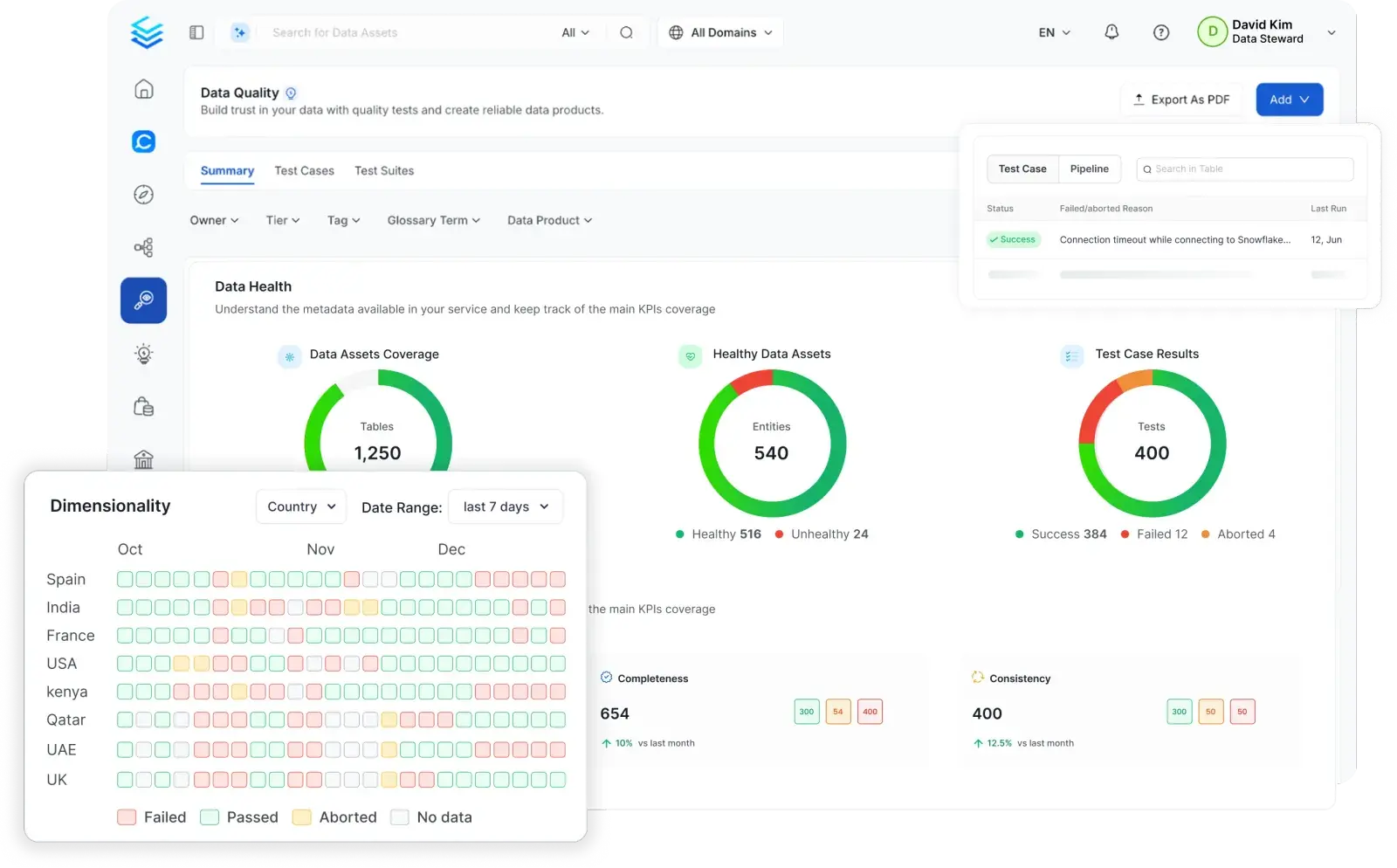


Prevent issues before they reach production
Shift quality validation left and test data during transformation before it loads to production

Detect and resolve faster
Inspect failed rows, isolate root causes, and close incidents without leaving the platform

Quality visible to every team
From developer pipelines to leadership dashboards, surface quality for all stakeholders
Catch Problems Before They Reach Production
No-code, code-based, and AI tests that validate data at every stage
![[object Object]](/_next/image?url=%2Fimages%2Fdata-quality%2Fcatch-problem.webp&w=3840&q=75)
Ensure ETL validation, data migration, and feature engineering data consistency

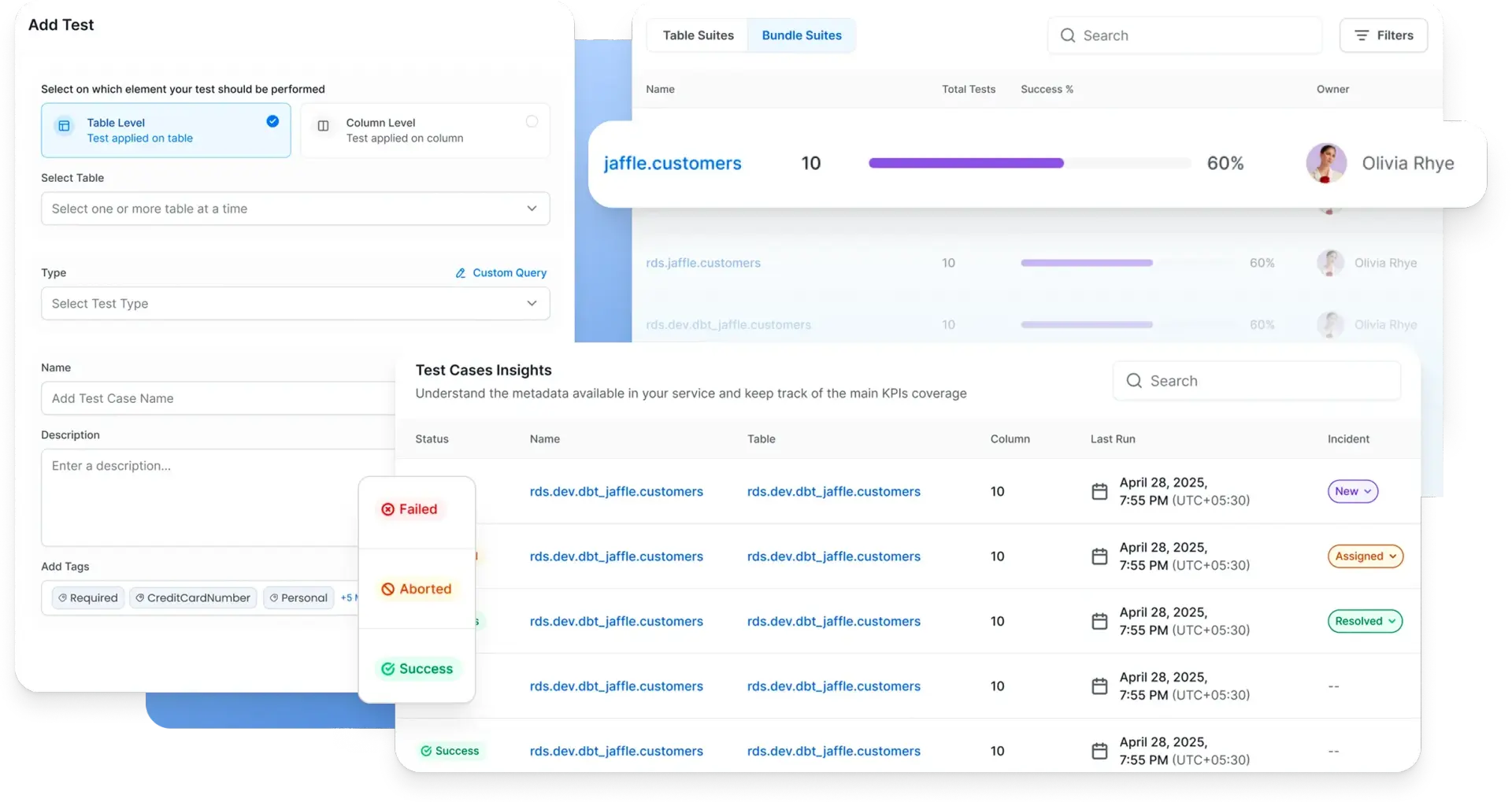
Find and resolve quality issues faster
Centralized triage, root cause analysis, and resolution in one platform
![[object Object]](/_next/image?url=%2Fimages%2Fdata-quality%2Fresolve-issues.webp&w=3840&q=75)
Quality That Every Team Can Contribute To
Give every stakeholder the tools to own quality in their domain
![[object Object]](/_next/image?url=%2Fimages%2Fdata-quality%2Fquality-team.webp&w=3840&q=75)
Scale Quality Across Your Entire Data Estate
AI automation and executive visibility to grow your quality program without growing your team
![[object Object]](/_next/image?url=%2Fimages%2Fdata-quality%2Fscale.webp&w=3840&q=75)
Built for modern data & AI practices
Designed for changing needs of data & AI teams
AI-Driven Automation
Improve productivity, enforce governance and reduce costs with AI driven automation
Unified Platform
One platform for all your teams for data discovery, observability and governance
Collaborate Around Data
Accelerate development of data assets with social workspaces and knowledge centers
Get started with Collate today for free
Get Collate FreeManaged Service for Production Data Teams
Book a DemoFAQs
Data Quality as Code lets data engineers define and run quality tests in Python directly inside their ETL pipelines. Instead of testing after data lands in production tables, you validate data during transformation before it loads.
If critical tests fail, the pipeline acts as a circuit breaker: it can stop execution, roll back a transaction, or filter out bad rows automatically. Test results publish back to Collate and appear in the same dashboards alongside your UI-based tests, so the full picture of data health is always in one place.
No. Most teams start with Collate's no-code UI, which lets you create table and column tests without writing a single line. Tests can also be configured via YAML or API.
Data Quality as Code is an additional option for data engineers who want to embed quality checks directly into Python pipelines. Both approaches share the same test definitions, dashboards, and incident management in Collate, so teams can mix and match without fragmenting their quality view.
The Data Quality Test Library lets governance and platform teams define reusable, parameterized test templates that any team across the organization can apply to their data assets. Instead of each team writing its own version of a row count check or null validation, you define it once and make it available centrally.
This standardizes quality rules organization-wide, reduces duplicated logic, and makes it easier to enforce consistent quality standards as the data estate grows.
Collate's Anomaly Detection uses dynamic assertions that learn the natural patterns in your data over time, including seasonal fluctuations like weekend dips or holiday spikes. Once the learning period is complete (typically around five weeks), the system alerts you only when data deviates significantly from the expected pattern.
This approach eliminates the need to manually define and maintain thresholds for data that changes predictably over time. You can also configure static thresholds manually for assets where the acceptable range is fixed and well understood.
Data Diff compares data across any two tables or platforms to check for discrepancies. It works across different database systems, not just within the same one.
The most common use cases are validating data migrations (confirming the destination matches the source after a move), verifying replication (ensuring replicated copies stay in sync), and comparing production versus staging environments before a deployment. It gives engineers a fast, systematic way to confirm data consistency without writing custom comparison queries.
Yes. Collate can ingest test results from dbt and Great Expectations, surfacing them alongside native Collate tests in the same quality dashboards and incident workflows. You can also send Collate test results to external systems via API.
For teams building new pipelines, Collate's no-code UI, YAML config, and Data Quality as Code SDK provide native options that do not require additional tools.
Collate overlays test results directly on the data lineage graph. When a test fails on an upstream table, you can trace exactly which downstream tables, dashboards, and models are affected, and in which order.
This makes root cause analysis significantly faster. Instead of manually tracing dependencies, engineers see the failure in context: where it originated, what depends on it, and what the downstream impact will be if it is not resolved.
The AI Quality Agent analyzes the schema structure and semantic context of your data assets and automatically suggests, creates, and deploys test suites. It understands which fields are business-critical based on their role in the semantic metadata graph, and generates tests at the appropriate level of rigor rather than treating all fields uniformly.
Test coverage scales automatically as new assets are ingested, without requiring engineers to manually define tests for every new table or column.
AskCollate lets users interact with data quality in natural language. You can ask which tests are failing on a specific table, request a summary of quality health for a domain, trigger root cause analysis on a recent incident, or generate a new quality test, all through a conversational interface.
AskCollate presents results in a rich, dashboard-like UI rather than a simple text response, so users can navigate lineage, quality, and summary information without switching to separate views. It is also available in Slack, so quality alerts and queries can be handled without leaving your team's existing workflow.
AI models and agents are only as reliable as the data they consume. Collate addresses this directly: quality tests run before data reaches production tables via Data Quality as Code, profiling tracks data behavior continuously, and the Incident Manager catches and routes failures before they propagate into AI pipelines.
Beyond preventing bad data from reaching AI, Collate's integration with the semantic metadata graph means quality signals are available to AI agents alongside lineage, ownership, and business definitions. An AI agent querying for revenue figures sees not just the data, but its quality status, who owns it, and whether any tests are currently failing.