Cataloging Kafka with Collate
Introduction
Most data governance conversations start with databases. Someone has a Snowflake warehouse or a Redshift cluster and wants to know who owns what, what's PII, and whether the numbers in the quarterly report can be trusted. Streaming data tends to stay out of that conversation, partly because it feels ephemeral and partly because the tooling to govern it hasn't always been obvious.
An Apache Kafka topic is a data asset. It has a schema. It has producers and consumers. Its fields may contain personally identifiable information. It may be subject to data residency requirements. And when its schema changes unexpectedly, downstream systems break. Treating it as infrastructure rather than data is a gap that tends to grow quietly until something goes wrong.
Collate treats Kafka as a first-class catalog entry. Here's what that looks like from setup to governed topic. A companion video is available here.
Adding the Service
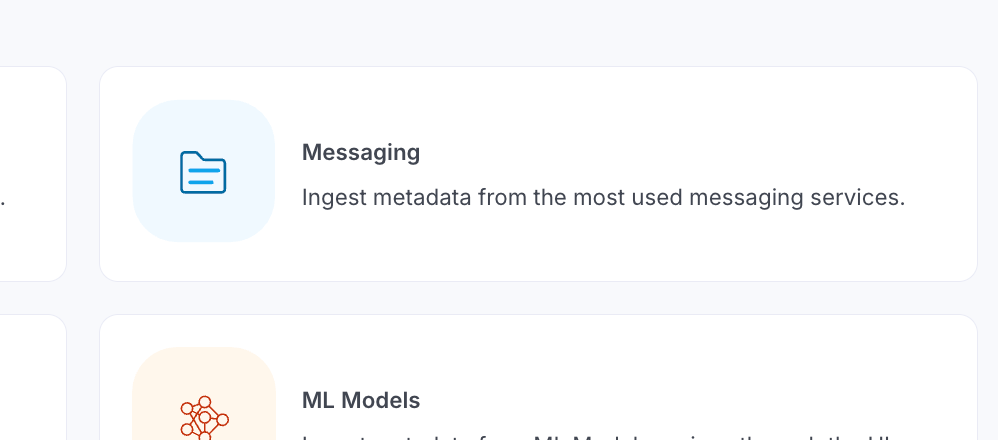
Collate's connector library includes Apache Kafka, Kinesis, and Redpanda under the Messaging category. Navigate to Settings > Services > Messaging and add a new service. The first decision is worth a moment of thought: if you're running multiple Kafka clusters across regions, each cluster should be its own service in Collate, with a descriptive name that captures the geography or environment. A description like "Ireland cluster, eu-west-1, production" takes a few seconds to write and saves considerable confusion later.
The process looks like this:
1. Navigate to Settings: Begin by accessing the services section in Collate's settings.
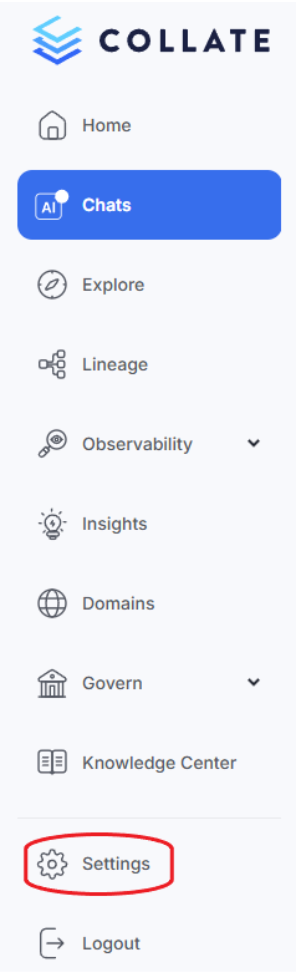
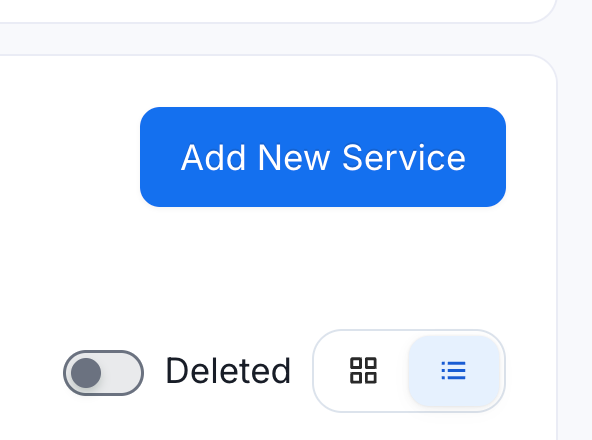
2. Add New Messaging Service: Select “Services”, then “Messaging”, then "Add New Service" and search for Oracle in the service list.
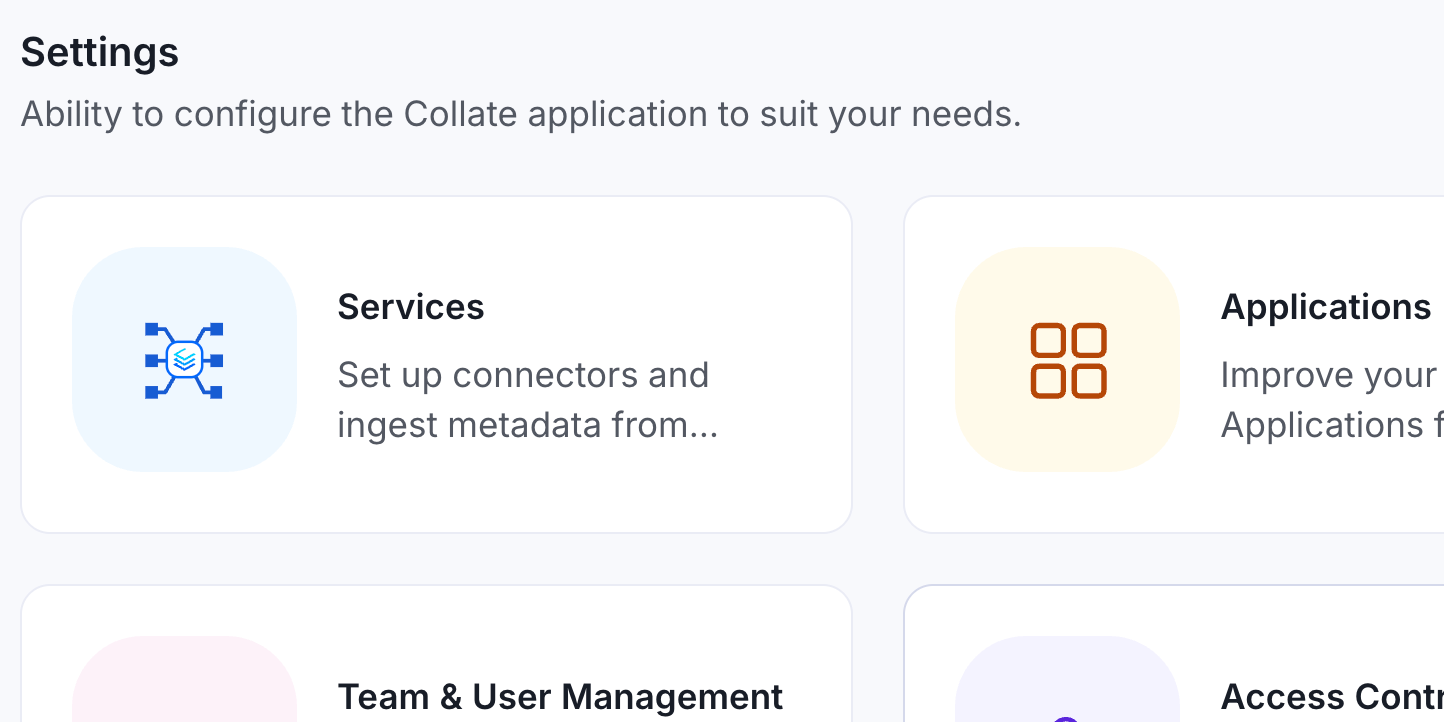
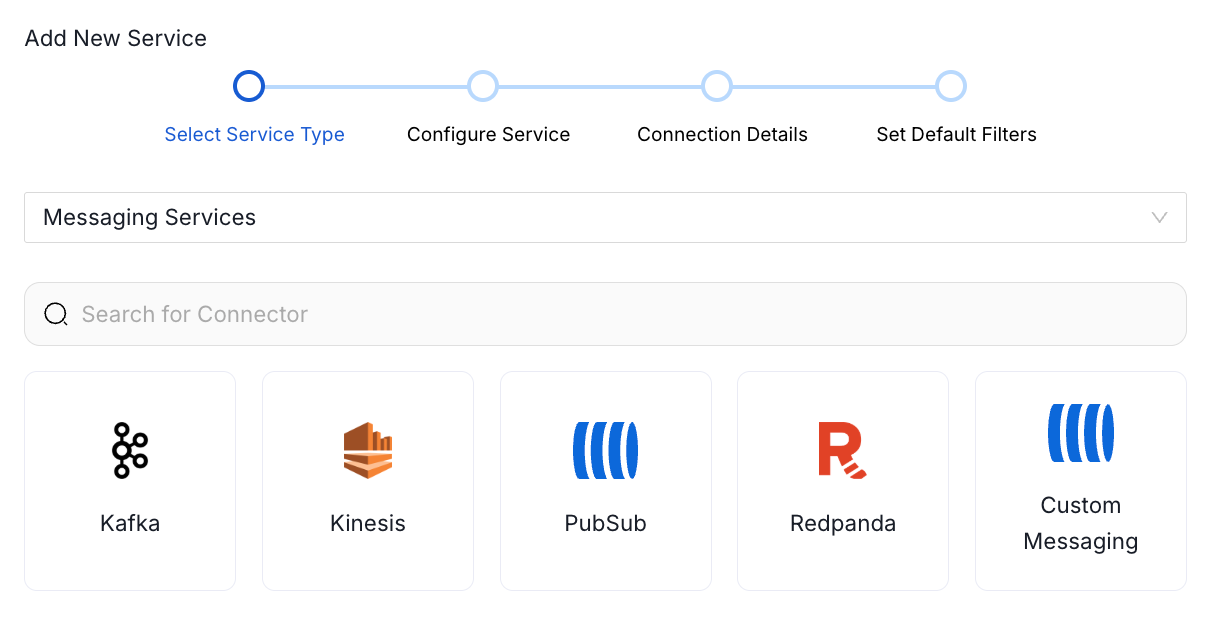
3. Configure the Connection: You'll need to provide:
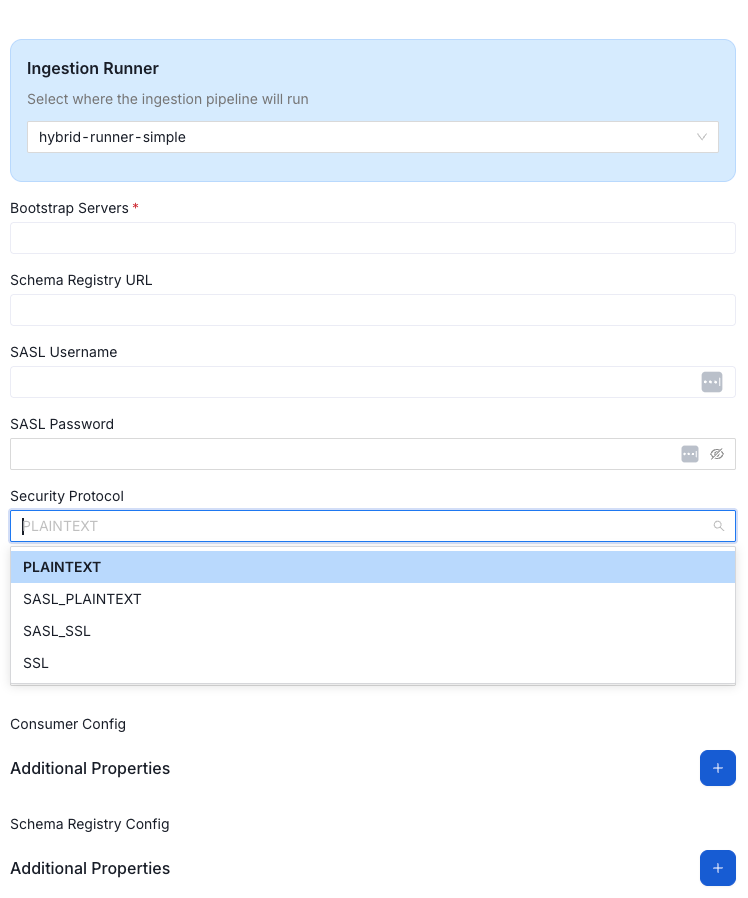
For Confluent-hosted Kafka, the required inputs are the bootstrap server URL and the schema registry URL, both available from the Confluent dashboard. Authentication uses SASL_SSL, and you'll need separate credentials for the broker and for the schema registry. Once filled in, Collate tests both connections before proceeding.
Configuring Ingestion
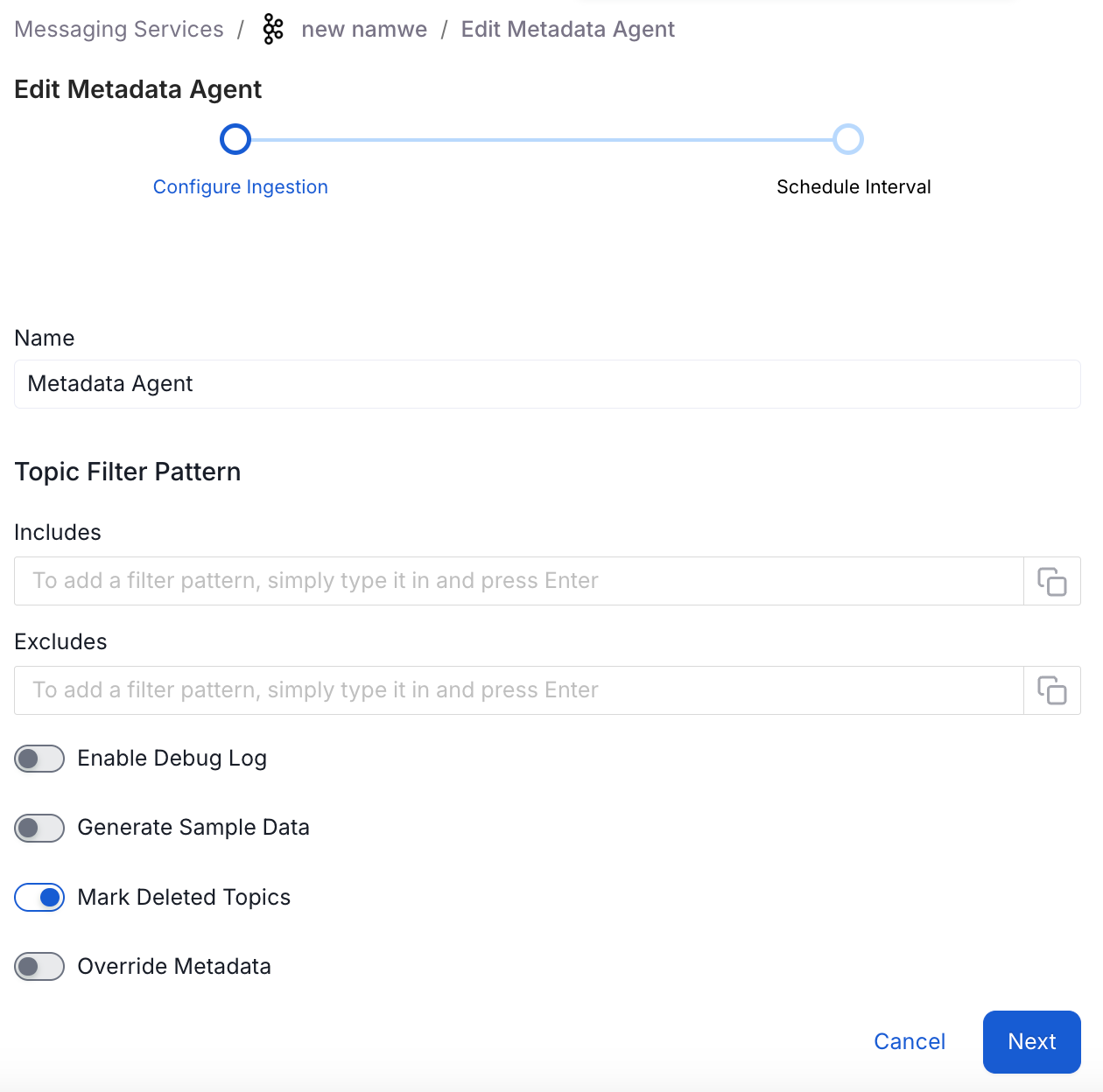
The ingestion configuration step controls which topics actually land in the catalog. In any non-trivial Kafka environment, topic proliferation is real. The pipeline supports regex-based include and exclude patterns, so you can be specific about what gets cataloged and what doesn't. For an IoT deployment with hundreds of device-specific topics, this filtering up front can save a lot of noise in your metadata infrastructure down the line.
Two settings deserve attention here. Sample data ingestion pulls a small preview of the actual message content into Collate. It's useful for understanding a topic at a glance, but if the topic contains data that shouldn't leave a specific jurisdiction under GDPR or a similar framework, skip it.
The "override metadata" toggle is the more consequential setting. When enabled, ingestion overwrites descriptions and annotations your team has added in Collate with whatever exists in the source system. When disabled, what your governance team has captured takes precedence. For most teams actively governing their data, disabled is the right default. The whole point of a governance platform is to add context and accountability that doesn't exist upstream. Letting ingestion silently overwrite that work on the next pipeline run defeats the purpose.
What a Cataloged Kafka Topic Looks Like
After ingestion runs, each topic surfaces as a navigable catalog entry with more metadata than most people expect. Partition count, replication factor, and full topic configuration properties are visible. Schema fields, pulled from the schema registry, render as a structured hierarchy rather than raw JSON. Nested schemas come through correctly, so a complex record type like a stock trade with nested objects displays with proper field relationships intact rather than a flat blob.
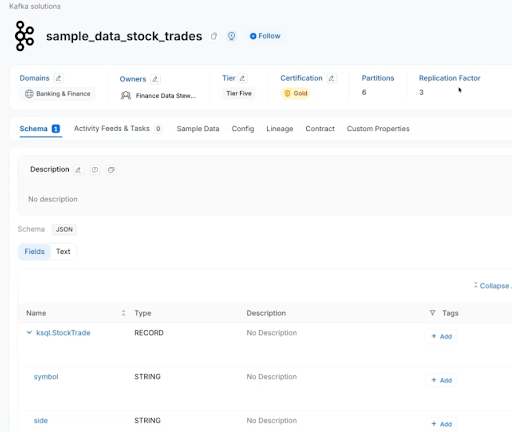
Classification works the same way as for any other asset type in Collate. Assign a domain, set a data owner, apply a tier to reflect business criticality, and certify the topic if it represents a trusted, clean stream. The tier system maps naturally to data maturity: a raw topic coming directly off a producer is different from a cleaned, enriched stream feeding a downstream dashboard, and the catalog should reflect that distinction.
AI Descriptions and Data Contracts
Kafka topics are notorious for undocumented schemas. The field named "qty" or "px" might be obvious to the engineer who built the producer and completely opaque to a data analyst three teams away. Ask Collate addresses this directly: provide a short prompt with context about the topic, and it generates field-level descriptions for review before anything is committed. The human-in-the-loop design matters here. Collate presents proposed descriptions for approval, and the AI operates within the same role-based access control as every other platform operation. If you don't have edit permissions on an asset, prompting the AI doesn't change that.
Data contracts extend the governance story to schema integrity. You can define the expected schema structure for a topic and configure alerts for drift. When a producer changes a field type or removes a column without coordinating with downstream consumers, the contract flags it before it becomes a pipeline failure. For teams running ML workloads or analytical pipelines that depend on stable Kafka topics, this is an important feature.
Conclusion
Kafka sits in the middle of most modern data architectures. Events flow through it, lineage passes through it, and schema decisions have downstream consequences that ripple outward. Keeping Kafka outside the governance platform creates a visibility gap that grows as the organization scales. Bringing it into the same catalog as your warehouses, dashboards, and pipelines means data lineage actually traces the full path, contracts cover streams as well as stores, and analysts know what they're looking at before they start consuming from a topic. That's governance doing its job across the full stack, not just the parts that feel familiar.
To explore further, consider the Collate Free Tier for managed OpenMetadata or the Product Sandbox with demo data.
Fashion Retailer Mango’s Data Journey with Collate
Read the case study

Sign up to receive updates for Collate services, events, and products.
Share this article


Ready for trusted intelligence?
See how Collate helps teams work smarter with trusted data