Integrating ClickHouse with Collate: A Technical Walkthrough
Introduction
The data ecosystem landscape continues to evolve, and ClickHouse has emerged as a compelling option for organizations seeking fast analytical capabilities. With their recent funding announcement, it’s a perfect opportunity to look at what it’s like to fit ClickHouse into your data infrastructure, and more importantly, how you can effectively manage and govern the metadata it generates. A companion video to this blog is available on YouTube.
Understanding ClickHouse's Role
ClickHouse is a very fast analytical database engine. Think of it as a quicker, more cost-effective alternative to traditional data warehouses like Snowflake or Databricks. This isn't a question of one being universally better than the other; it's about choosing the right tool for the job. If you need a traditional data warehouse with all the bells and whistles, you might opt for Snowflake or Databricks. But when you need something that can run a bunch of queries really quickly for analysts, ClickHouse is designed for exactly that use case. It's important to remember that ClickHouse doesn't exist in isolation. No organization relies on just one tool. It's part of a broader data ecosystem, much as Kafka serves a specific purpose within a larger architecture.
Collate's ClickHouse Integration Capabilities
Before diving into the setup process, it's worth understanding what Collate can extract from ClickHouse.
The connector supports several key features:
- Metadata ingestion
- Lineage tracking
- Column-level lineage
- Standard ClickHouse objects and structures
Some features, such as owners, tags, and stored procedures, aren't supported yet, but this is typically due to API limitations on the source side rather than Collate's capabilities. As ClickHouse develops and matures its API, Collate's connector evolves alongside it.
Setting Up the Integration
The setup process is straightforward and well-documented. Collate's documentation site provides detailed prerequisites, including the exact SQL commands you need to run to grant proper permissions to your service account. This level of specificity helps avoid common permission-related issues during setup.
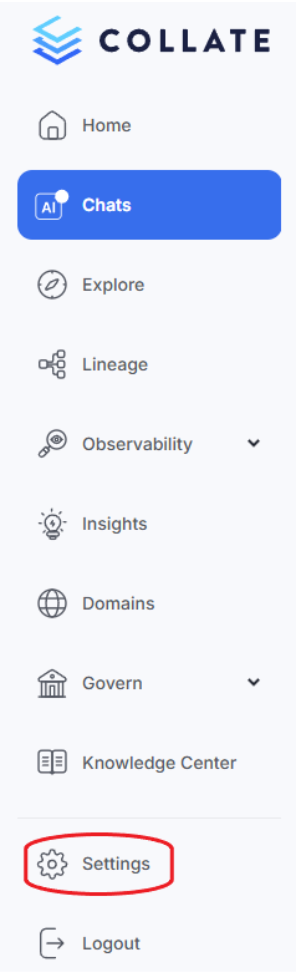
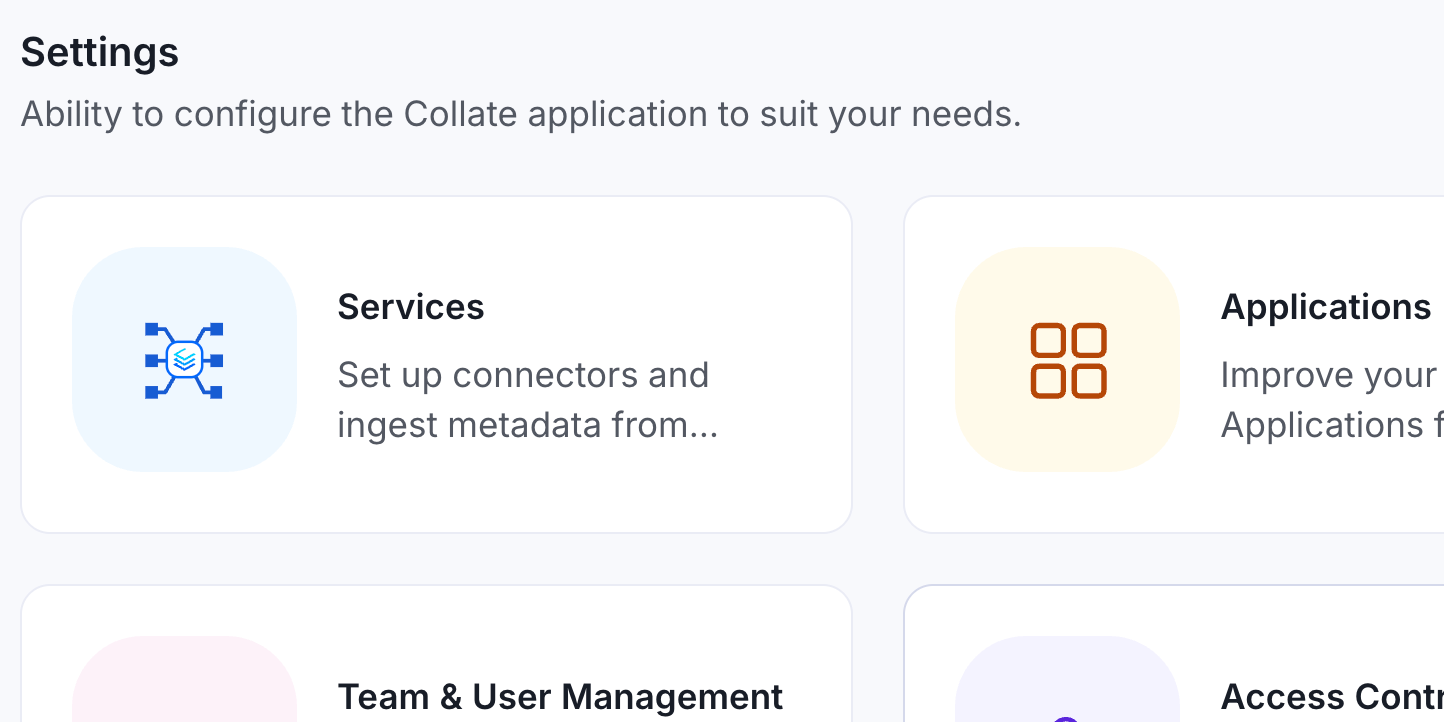
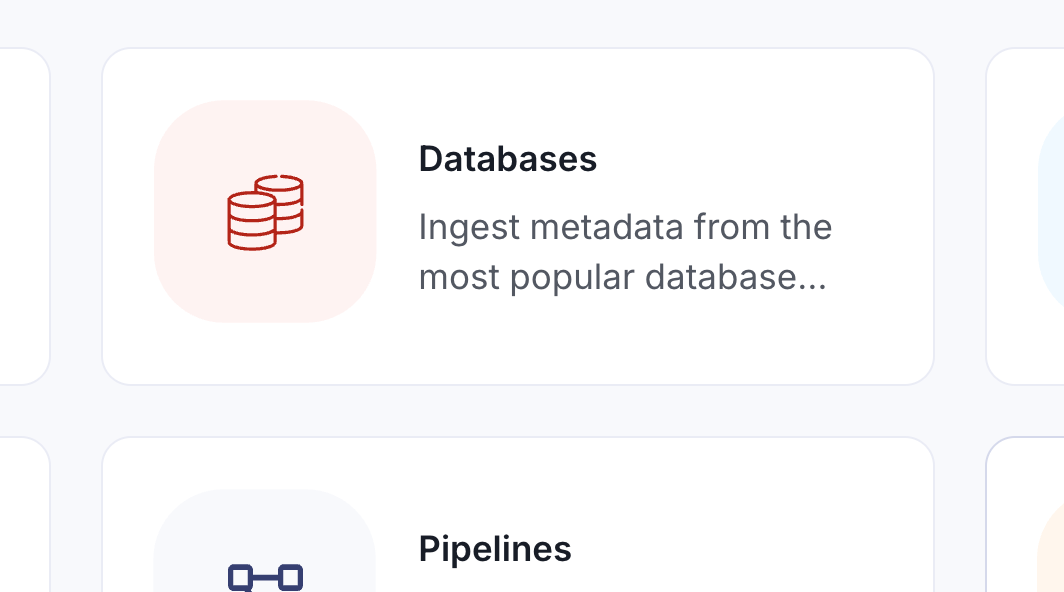
Starting from Collate's landing page, navigate to Settings > Services > Databases, where ClickHouse can be easily located among the extensive list of supported connectors. The process looks like this:
1. Navigate to Settings: Begin by accessing the services section in Collate's settings.
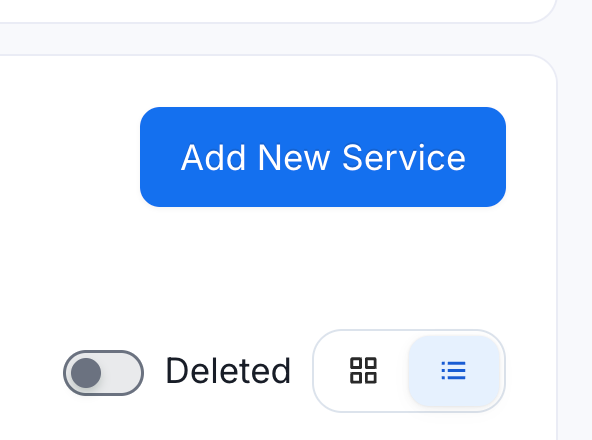
2. Add New Database Service: Select “Services”, then “Databases”, then "Add New Service" and search for ClickHouse in the service list.
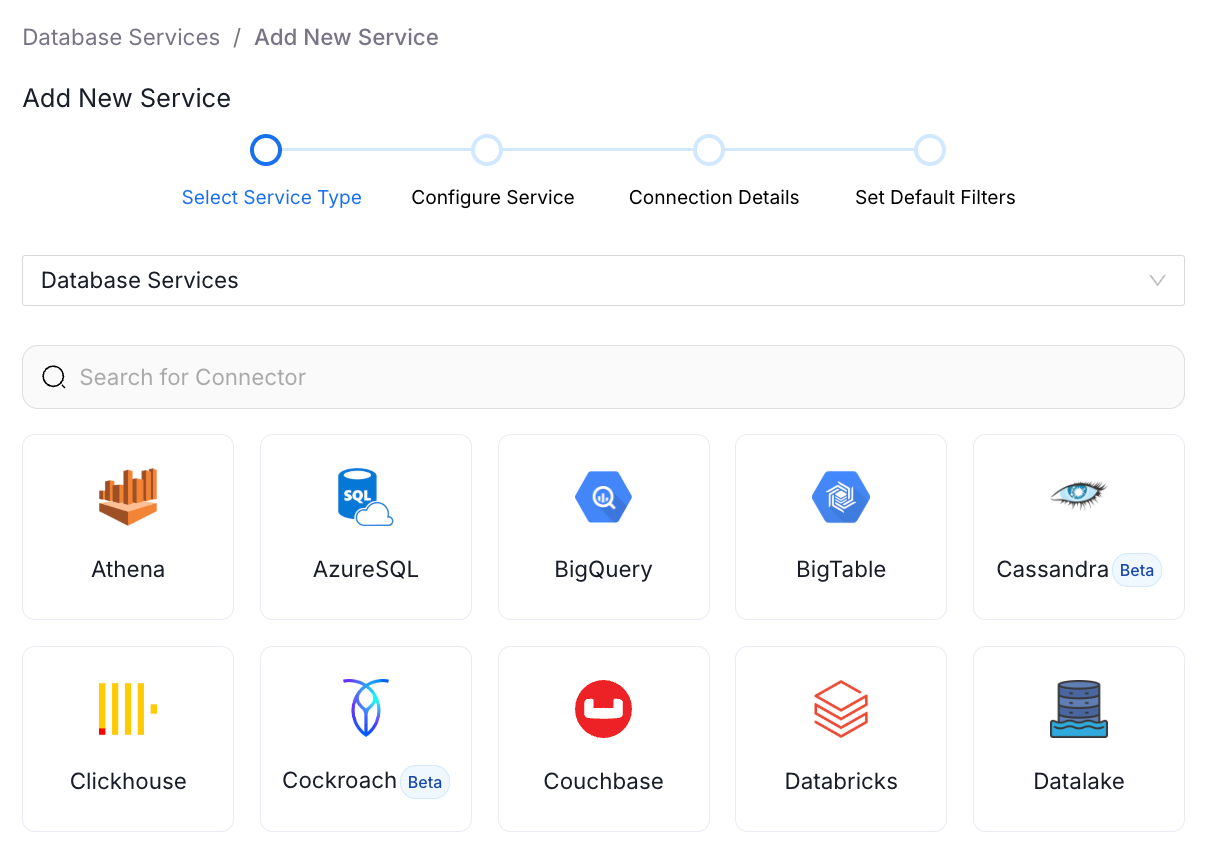
3. Configure the Connection:
You'll need to provide:
- Service name (for example, "clickhouse_test")
- Username and password for your ClickHouse service account
- Host and port information
- Connection protocol (HTTPS is recommended)
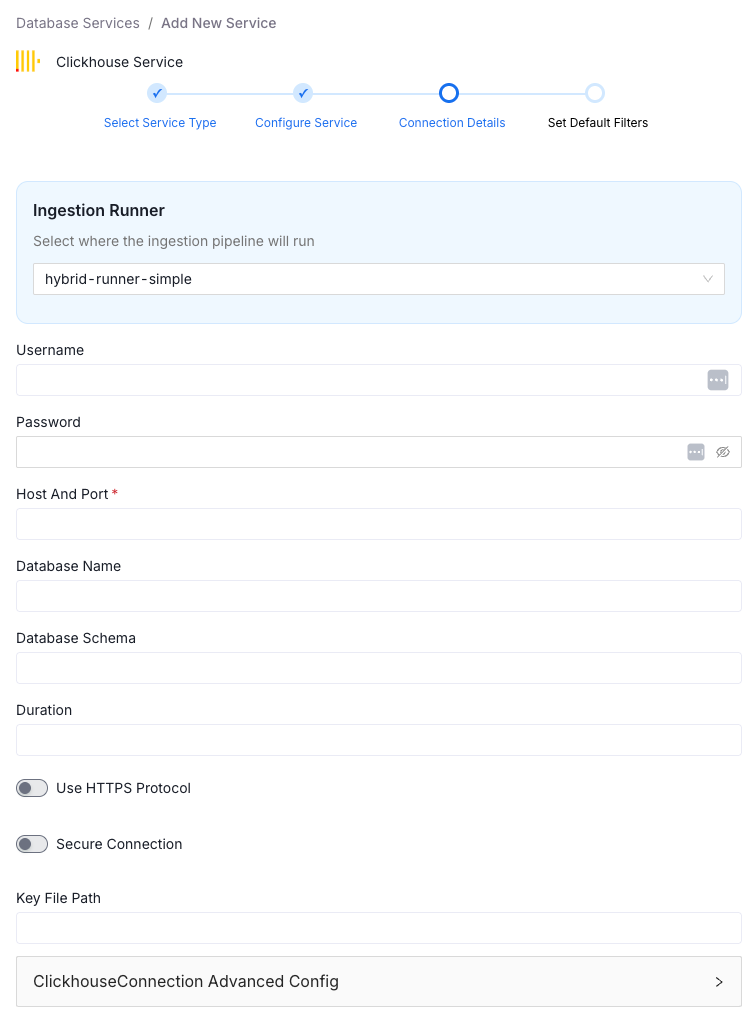
The database and schema fields are optional, giving you flexibility in how you scope your connection.
- Test Your Connection: Before proceeding, Collate lets you validate the connection. This test confirms that Collate can reach your ClickHouse instance and that all permissions are properly configured.
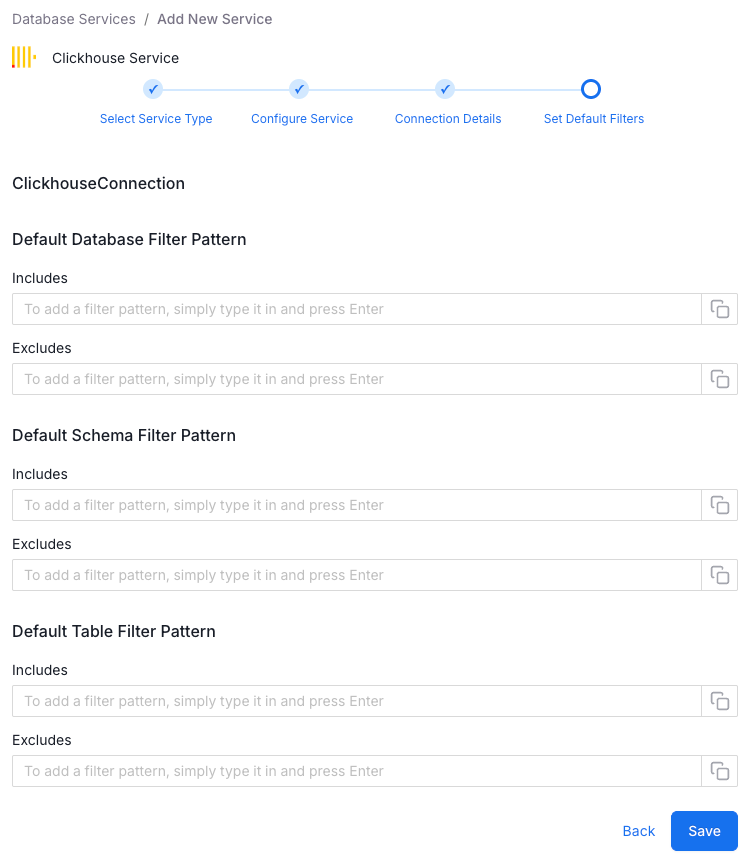
- Configure Filtering: This step is crucial and deserves emphasis. You should know exactly what you want to bring into Collate before running the ingestion. This means having conversations with your DBAs and data team to determine which databases, schemas, and tables are worth tracking.
Why does this matter? Two reasons:
First, Collate charges based on billable data assets, so be intentional about what you're ingesting. Second, and more importantly, you want to bring in metadata that actually matters to your organization. There's no value in cluttering your data catalog with irrelevant objects.
The filtering options let you specify which databases, schemas, and tables to include, just like other database services in Collate.
- Let Autopilot Handle the Rest: Once you save your configuration, Collate's autopilot feature takes over. It automatically queues your metadata agent, followed by your lineage agent. The system runs these agents in sequence, first bringing in the metadata structure, then mapping the lineage relationships.
What You Get
After the metadata agent completes its run, you'll see your ClickHouse databases appear in Collate. Drilling down, you'll find schemas, tables, and their associated metadata. Each table comes with its own set of data observability patterns and lineage information. If your tables have key constraints, you'll also get ER diagrams automatically generated.
It’s good to understand how ClickHouse fits into your broader data ecosystem. There are common use cases where ClickHouse and Snowflake are used together, and Collate can pull that cross-platform lineage. When data flows between ClickHouse and Snowflake, Collate maps those relationships, giving you visibility into how your data moves across different systems.
Downstream Integration
The lineage tracking can cover your entire data ecosystem. If you're using BI tools like Power BI or Tableau to visualize data from ClickHouse, Collate can pull in those data models as well. These BI tools store connection strings in their data models, which Collate uses to trace lineage back to sources such as ClickHouse and Snowflake. The system recognizes these connection strings and automatically establishes the lineage relationships, showing you the complete data flow from source to visualization.
Conclusion
The ClickHouse integration demonstrates a broader principle: comprehensive data governance requires understanding your entire data ecosystem, not just individual tools. Data gets into ClickHouse somehow, and it gets reported by something. Collate helps you see those complete pathways, whether you're moving data between ClickHouse and Snowflake, or consuming ClickHouse data in Power BI dashboards.
For organizations adopting ClickHouse as part of their analytics infrastructure, this level of visibility into metadata and lineage relationships is essential for maintaining data quality, understanding dependencies, and making informed decisions about their data architecture.
To explore further, consider the Collate Free Tier for managed OpenMetadata or the Product Sandbox with demo data.
Fashion Retailer Mango’s Data Journey with Collate
Read the case study

Sign up to receive updates for Collate services, events, and products.
Share this article


Ready for trusted intelligence?
See how Collate helps teams work smarter with trusted data