Oracle and Collate: Metadata, Lineage, and Stored Procedures
Introduction
Oracle has been a fixture in enterprise data infrastructure for decades. Its reach is wide, its feature set is deep, and for many organizations, it remains the backbone of critical business data. If you are running Oracle and trying to get a clear picture of what you actually have, where it flows, and who owns it, this walkthrough shows how Collate's Oracle connector handles that job.
Setting Up the Integration
The setup process is straightforward and well-documented. Collate's documentation site provides detailed prerequisites, including the exact SQL commands you need to run to grant proper permissions to your service account. The integrated documentation helps avoid common permission-related issues during setup.
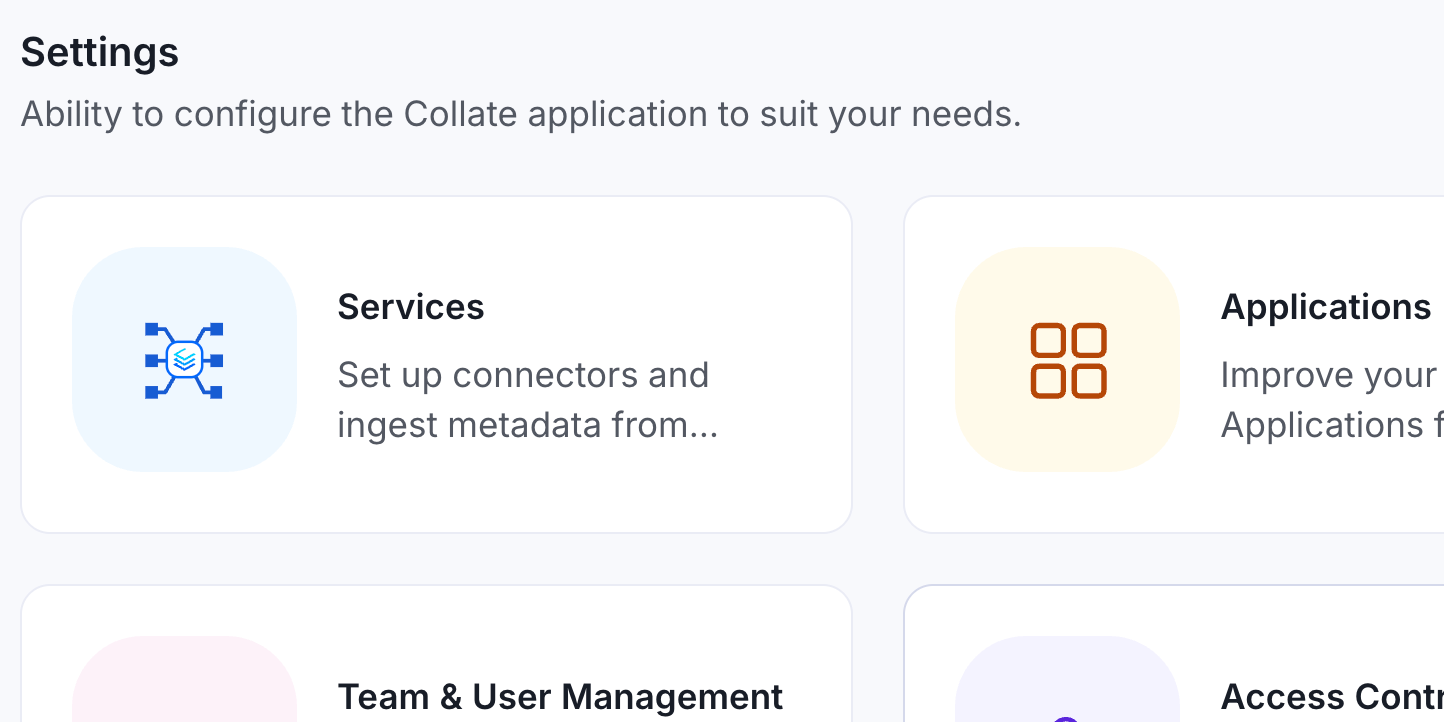
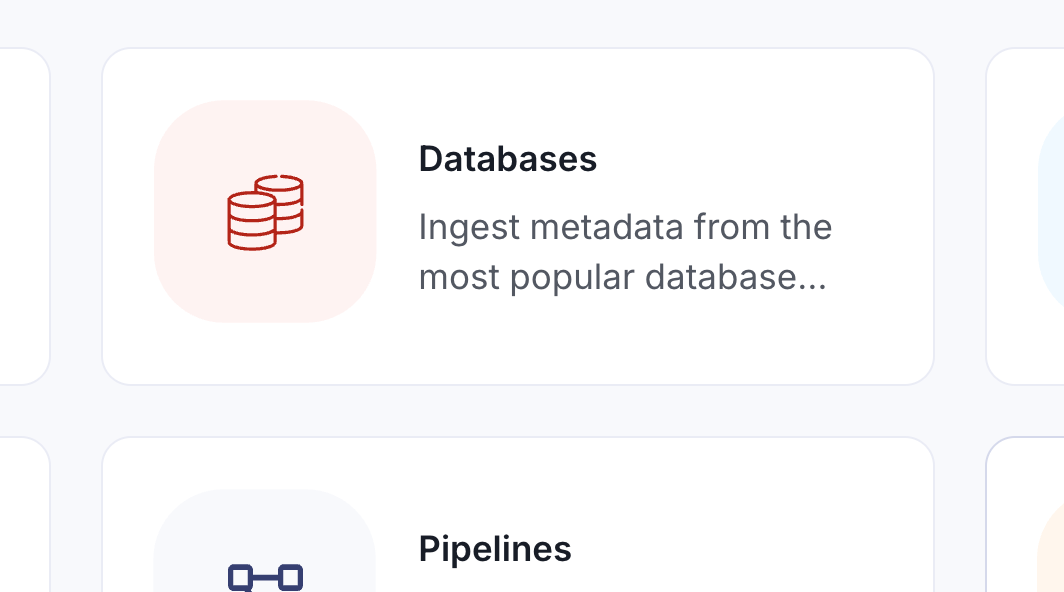
Starting from Collate's landing page, navigate to Settings > Services > Databases, where Oracle can be easily located among the extensive list of supported connectors. The process looks like this:
1. Navigate to Settings: Begin by accessing the services section in Collate's settings.
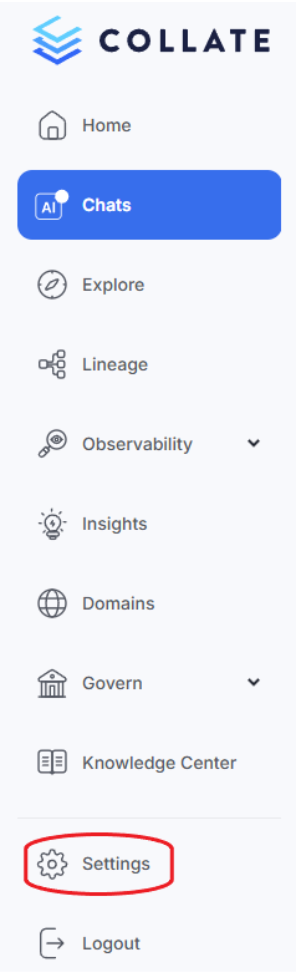
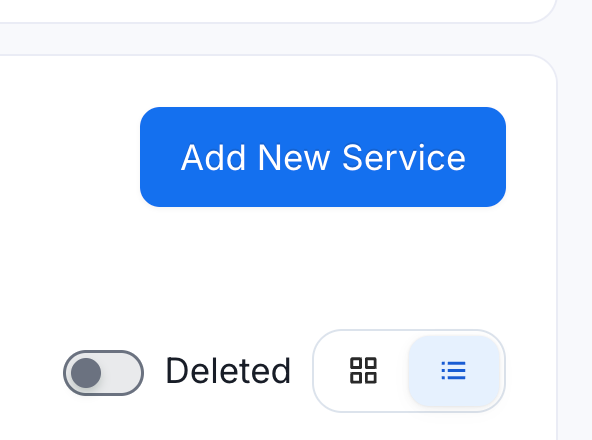
2. Add New Database Service: Select “Services”, then “Databases”, then "Add New Service" and search for Oracle in the service list.
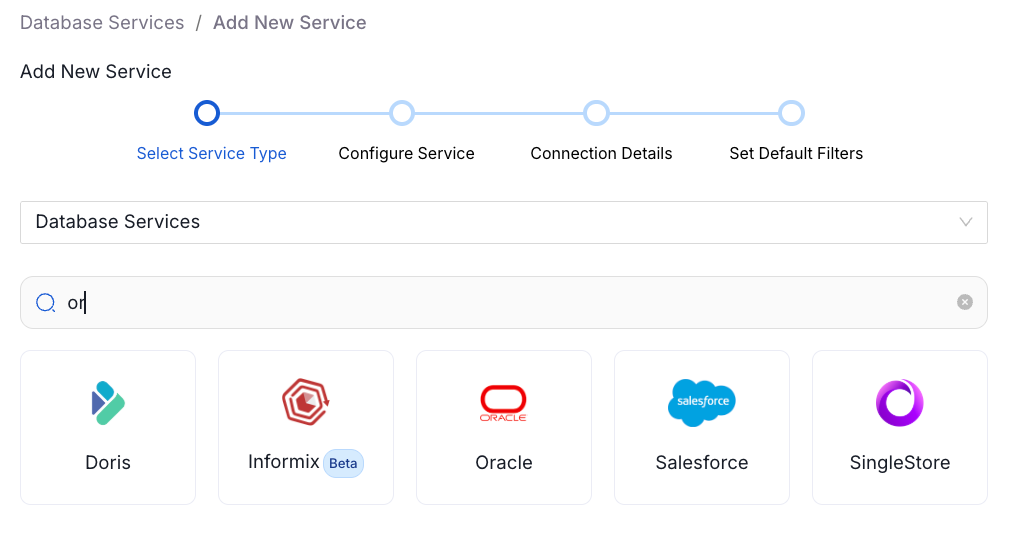
3. Configure the Connection: You'll need to provide:
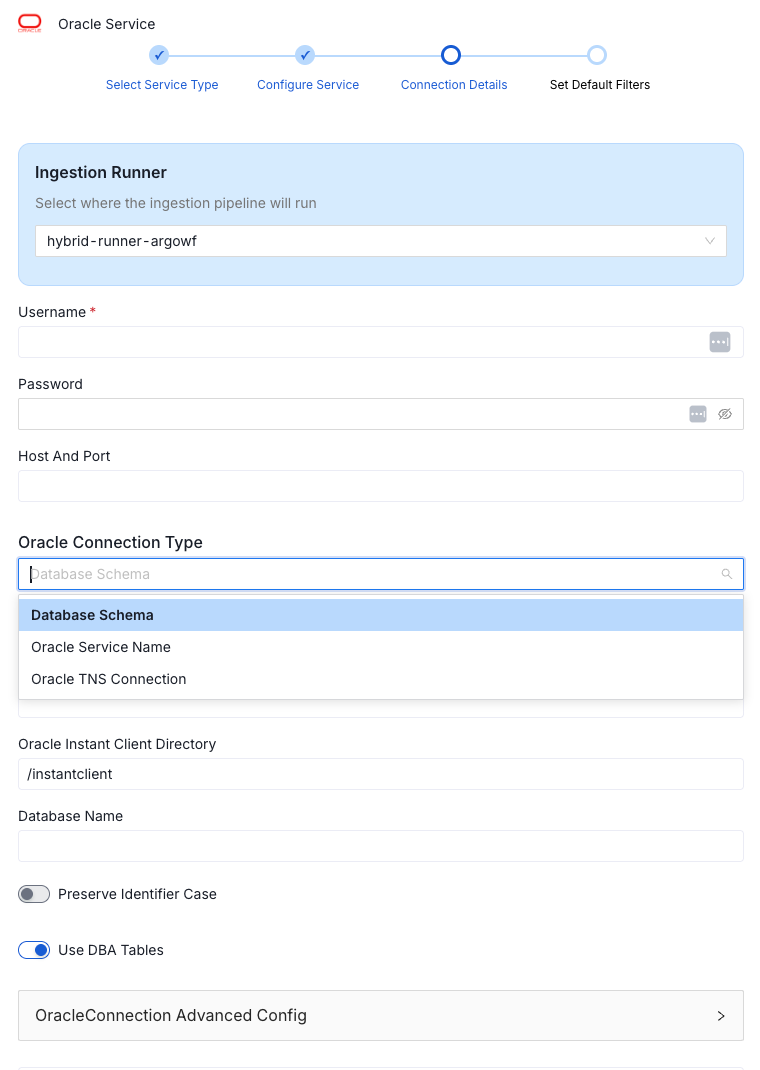
- a username and password
- a host and port
Standard stuff for any database connection.
One detail worth knowing upfront: when you create a user in Oracle, the database automatically creates a schema with the same name. So a user called Neptune gets a Neptune schema by default. That is by design in Oracle's architecture, but when connecting to Collate, you typically want access to everything in the database service, not just that one schema. You handle this by specifying a service name rather than a specific database or schema. Collate takes it from there.
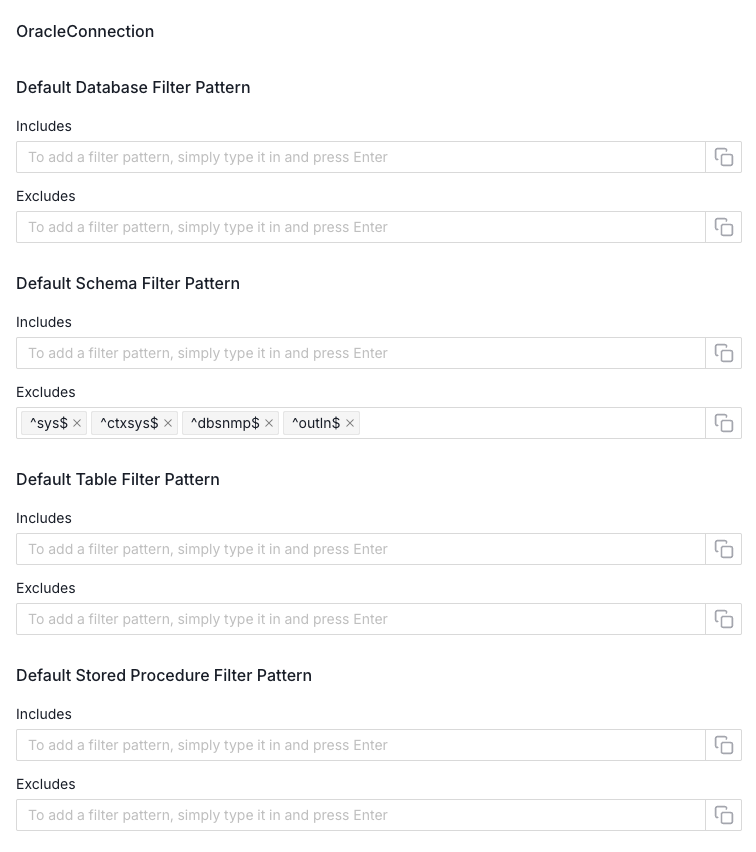
Once the credentials are in, you can test the connection before committing. When it succeeds, you move on to filtering parameters, where you can scope ingestion to specific databases, schemas, tables, or stored procedures. Then save, and the metadata ingestion agent gets queued and starts running.
What You Get After Ingestion
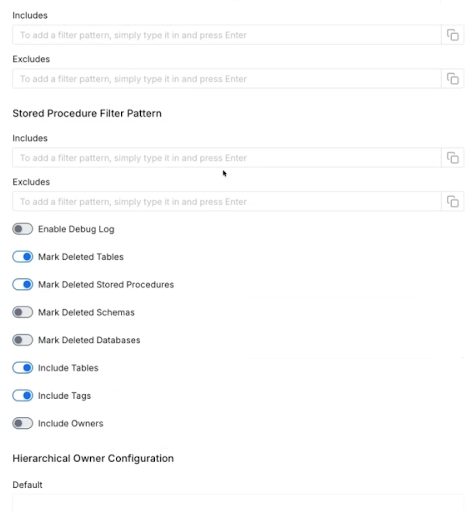
The configuration options for Oracle are noticeably richer than what you see with simpler database connectors. During setup and in the edit tab afterward, you can toggle debug logs, flag deleted tables or schemas, map Oracle users to Collate users for ownership alignment, configure ownership hierarchy (service, then database, then schema), and choose whether to capture insert and delete statements for operational metadata. You can also enable JSON schema inference with a configurable sample size and include or exclude views.
After ingestion runs, including usage and lineage agents, you land in a catalog view of your Oracle data. Tables populate with metadata pulled from the database.
AI Agents
Two AI agents that run against the ingested metadata deserve specific attention.
The documentation agent reads incoming data and generates recommended descriptions for tables and columns. You can review each suggestion individually and accept or reject it, or handle them in bulk. It is not a replacement for human documentation, but it surfaces a starting point based on actual schema structure and data.
The tiering agent is more interesting from a governance standpoint. It assigns a tier classification to each asset, ranging from tier one (critical source of truth) down to tier five (private or unused). The determination is not arbitrary. The agent looks at query activity on the table, usage percentile, and most importantly, lineage. A table that feeds many downstream assets is likely critical to the business, even if no one has explicitly labeled it that way.
Lineage
The lineage visualization is a great way to see the flow of data in your system. In the example below, we are examining the “CASH_POSITIONS” TABLE. Clicking into it shows it flowing into a staging table in a liquidity schema, then into aggregation tables, and eventually into a liquidity report. When you click on a specific field, the lineage highlights the entire path that field travels through the pipeline. That kind of column-level lineage is hard to maintain manually and nearly impossible to keep up to date. Having it generated automatically from the database metadata and query history changes the picture considerably.
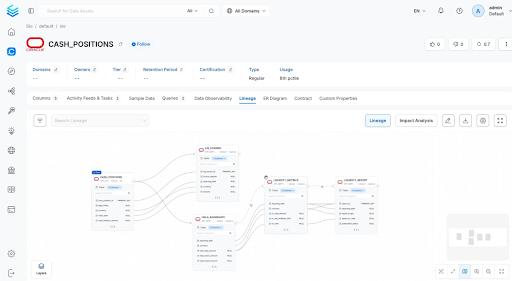
Navigating to the downstream liquidity report and viewing its lineage in reverse shows data flowing in from many sources. The visualization distinguishes between tables with direct relationships and those connected through pipeline services, which in this case means stored procedures. The icon for those is visually distinct from standard table-to-table lineage, making it clear that a procedure is responsible for the transformation.
Stored Procedures as First-Class Assets
Stored procedures are cataloged alongside tables and views and treated as governable assets. You can view the procedure code directly in Collate, see what tables feed into it and what assets it produces, add descriptions, apply certification tiers, and flag it with data contracts.
Oftentimes, stored procedures have been a source of mysterious behavior in Oracle environments, logic embedded in the database that can affect application output in ways that are not obvious from the application side alone. Having them surfaced in the catalog means they are no longer invisible.
The catalog also enables identification of orphaned or unused procedures. If a stored procedure exists with no downstream consumers in the lineage graph, that is a signal worth acting on. Is it legacy code that should be deprecated? Is it something that should be wired into a pipeline but has not been? Collate makes the question visible. What you do with it is still up to the team, but at least the question gets asked.
You can soft-delete a stored procedure from the Collate catalog, which removes it from active view without touching the database itself. That distinction matters. The catalog reflects the database, but governance decisions in the catalog do not automatically propagate back to the database. It is a documentation and discovery layer, not a database management tool.
Conclusion
The Oracle connector covers the basics quickly and opens up a detailed governance layer once ingestion is complete. Schema discovery, column-level lineage, AI-assisted documentation, tiering recommendations, and full stored-procedure visibility combine to form a catalog that reflects how Oracle environments actually work rather than how they were originally designed on paper. For teams managing Oracle at scale, that kind of observability is a practical starting point for getting control of the data.
To explore further, consider the Collate Free Tier for managed OpenMetadata or the Product Sandbox with demo data.
Fashion Retailer Mango’s Data Journey with Collate
Read the case study

Sign up to receive updates for Collate services, events, and products.
Share this article


Ready for trusted intelligence?
See how Collate helps teams work smarter with trusted data