


Get complete visibility
Track all assets in a single platform to fully understand your data

Simplify asset tracking
Spend far less time and effort capturing the lineage of all your data assets

Go beyond lineage
Leverage lineage as a starting point for your other critical data management capabilities
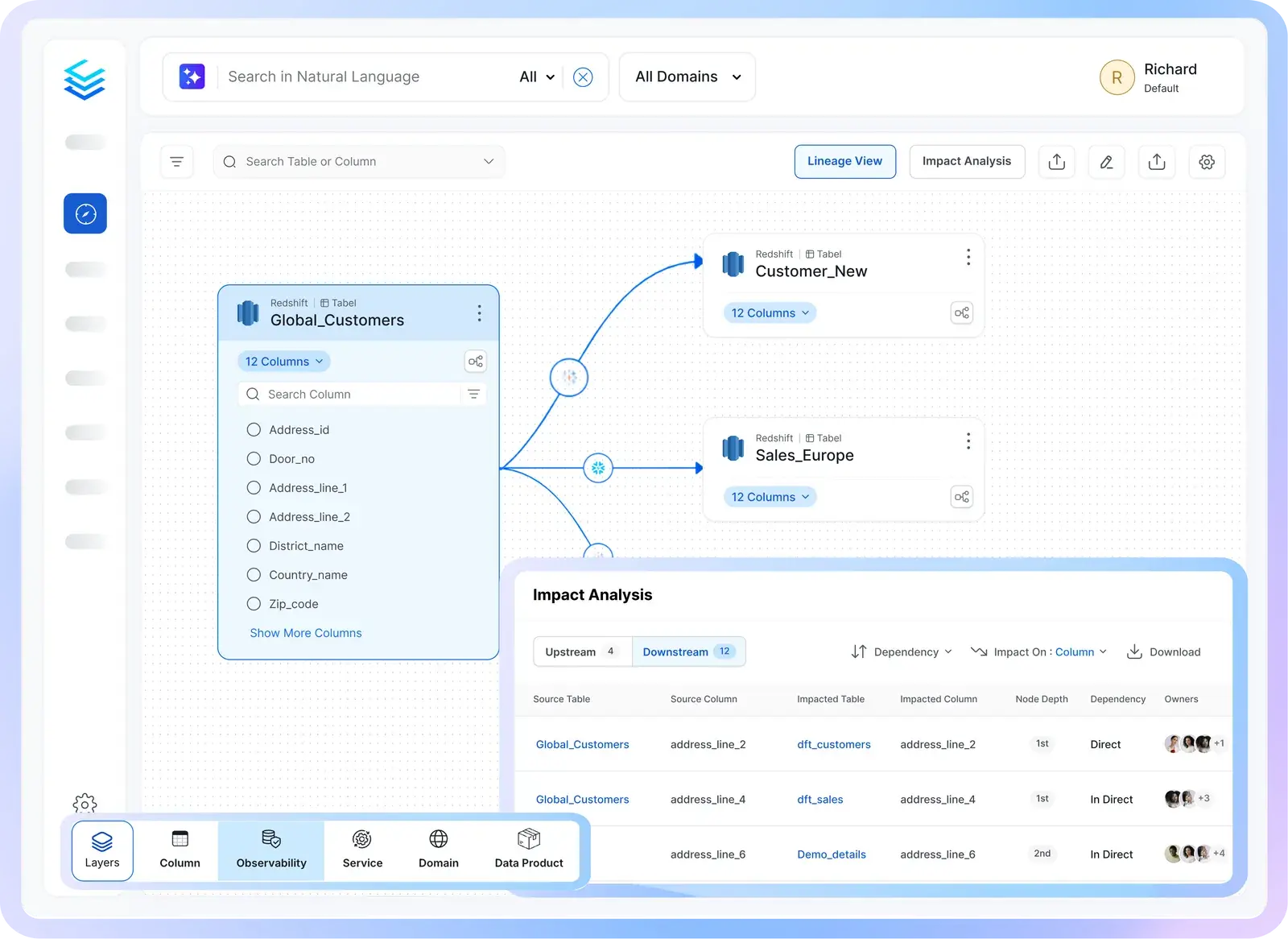
Get complete visibility of all your assets
Capture and share all information about all your data assets
![[object Object]](/_next/image?url=%2Fimages%2Fdata-lineage%2Fcomplete-visibility.png&w=3840&q=75)
Simplify asset tracking to stay up to date
Leverage automated lineage extraction and easy-to-use, drag/drop manual editing
![[object Object]](/_next/image?url=%2Fimages%2Fdata-lineage%2Fsimplified-tracking.png&w=3840&q=75)
Go beyond lineage for added value
Treat lineage as a starting point for discovery quality, impact analysis, and automated tagging
![[object Object]](/_next/image?url=%2Fimages%2Fdata-lineage%2Fbeyond-lineage.png&w=3840&q=75)
Built for modern data & AI practices
Designed for changing needs of data & AI teams
AI-Driven Automation
Improve productivity, enforce governance and reduce costs with AI driven automation
Unified Platform
One platform for all your teams for data discovery, observability and governance
Collaborate Around Data
Accelerate development of data assets with social workspaces and knowledge centers
Get started with Collate today for free
Get Collate FreeManaged Service for Production Data Teams
Book a DemoFAQs
Data lineage is used to trace the journey of data from source to end-destination. A common use case is to investigate data errors such as seemingly incorrect dashboards or reports. If an error is discovered, or suspected, data engineers can follow the upstream path to see where an error might have been introduced. In the Collate Semantic Intelligence Platform, which consolidates multiple data management capabilities into one platform, data lineage can also be a starting point for discovery, assessing data quality, performing impact analysis, or for automatically propagating metadata across the data’s journey.
Collate data lineage captures more sources (via over 130 native connectors), more asset types (including pipelines and dashboards), multiple levels of lineage (including column level and domain level), and the comprehensive metadata exposed in the lineage graph. Since you get data lineage as part of the Collate Semantic Intelligence Platform, a big advantage is you get the critical data management capabilities you need all in one place. There is no need to stitch together multiple single-purpose solutions that have limited information or leave visibility gaps in your data landscape.
Yes, Collate excels in capturing and displaying lineage information for Snowflake, Databricks, and dbt, along with many other data platforms.
A unified semantic graph is a set of data in the Collate Semantic Intelligence Platform that captures metadata plus relationships in the data so you get a deeper understanding of what the data means. As an example, you might tag data with the term, “PII,” and a unified semantic graph will associate that tag with related terms such as “sensitive data,” and “PHI,” and “GDPR.” You don’t have to apply all those tags on your PII data because the unified semantic graph knows the relationship between those terms. So now you can look for all PHI data without having to also look for PII.
Metadata propagation is the process of copying metadata from a data set to its upstream and downstream instances. This allows you to tag data, and have those tags automatically apply to all upstream and downstream instances of that data. For example, you can tag phone numbers and email addresses as PII, and the system will also tag instances of that data both upstream and downstream in the data, saving you from the time-consuming effort of manually tagging all instances.
Reverse metadata is the process of copying metadata from Collate back into the original data source. This ensures that no matter how the data is viewed, it is properly tagged to help users understand the data.
Collate automates the capture of lineage information by a variety of ways, including the parsing of query logs/history, reading configuration files, API/SDK integration, code parsing, and even with custom agents for platforms that do not track lineage on their own.
Manual lineage editing is useful for creating lineage graphs on uncommon data platforms that do not provide lineage information. It is also useful for editing existing lineage graphs if a mistake was encountered. Collate provides a complete lineage editing environment that makes it easy for any user to add lineage information.
Enterprises that already use OpenLineage can use Collate to solve their other data management challenges regarding discovery, data quality and observability, and governance, and then import OpenLineage data to capture a complete picture of their data. However, enterprises often see value in the richer lineage specification in Collate (more supported assets, more lineage extraction methods, more automation, etc.), and deploy Collate as an upgrade to OpenMetadata while also gaining many other capabilities.
Data lineage is hard to set up because most enterprises have complex, fragmented, heterogeneous ecosystems with diverse data types and assets. Trying to accurately capture lineage across all these silos without gaps requires significant effort. This is how Collate can help. With many years invested in building the data lineage capabilities, including community-led efforts on the open-source OpenMetadata project, Collate delivers the leading solution for capturing lineage and using that as a starting point for other data management practices like data discovery and data quality.