Ontology Studio
Define your business in an open ontology, and give your AI agents the meaning behind your data
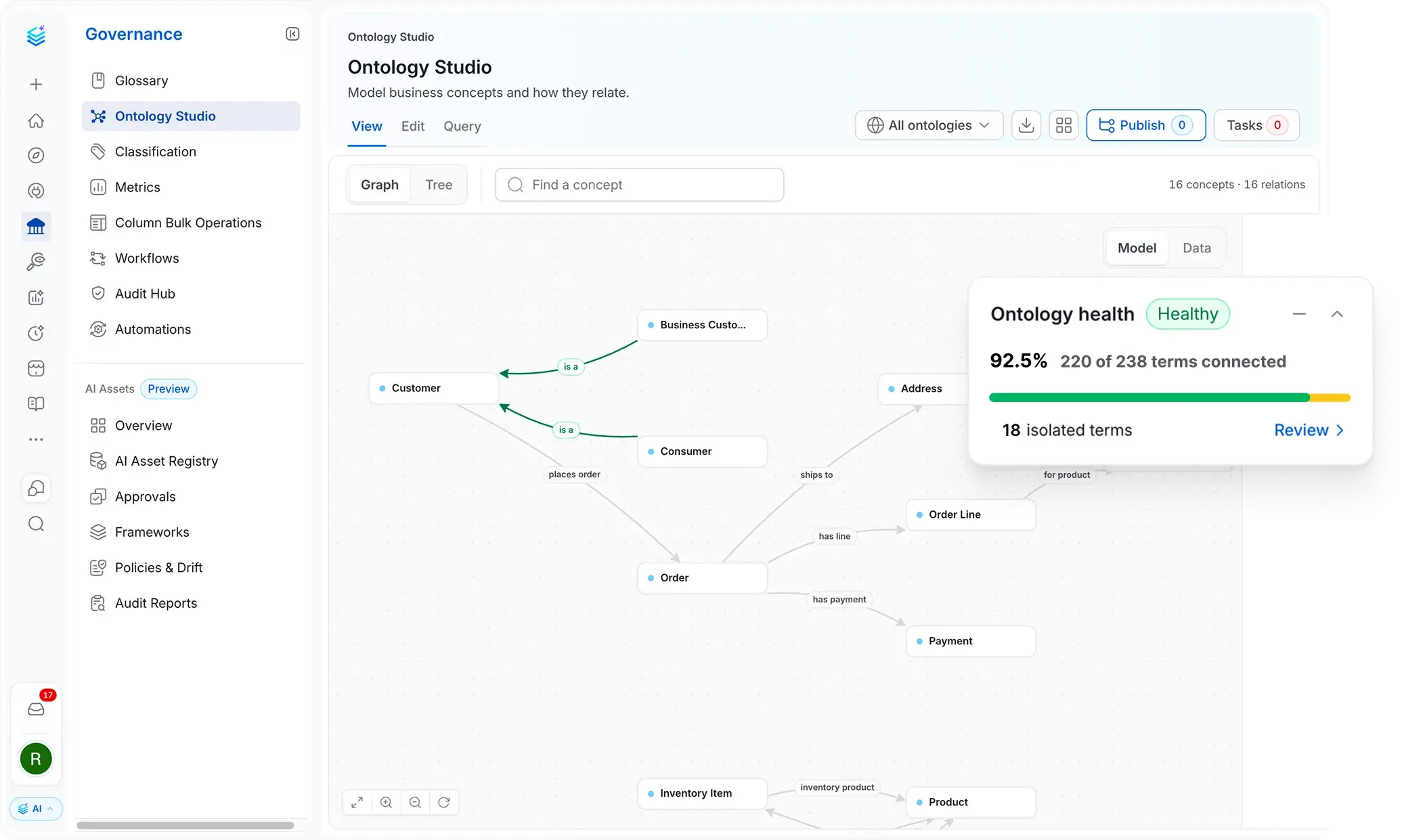

Business Meaning Agents Can Use
Agents follow your structured concepts and relationships instead of guessing from names

Concepts With Real Structure
Each concept has its own properties, relationships, and rules

Open and Yours to Keep
Built on open standards like OWL and SKOS, so you can inspect, validate, and export it
Give agents the meaning behind your data
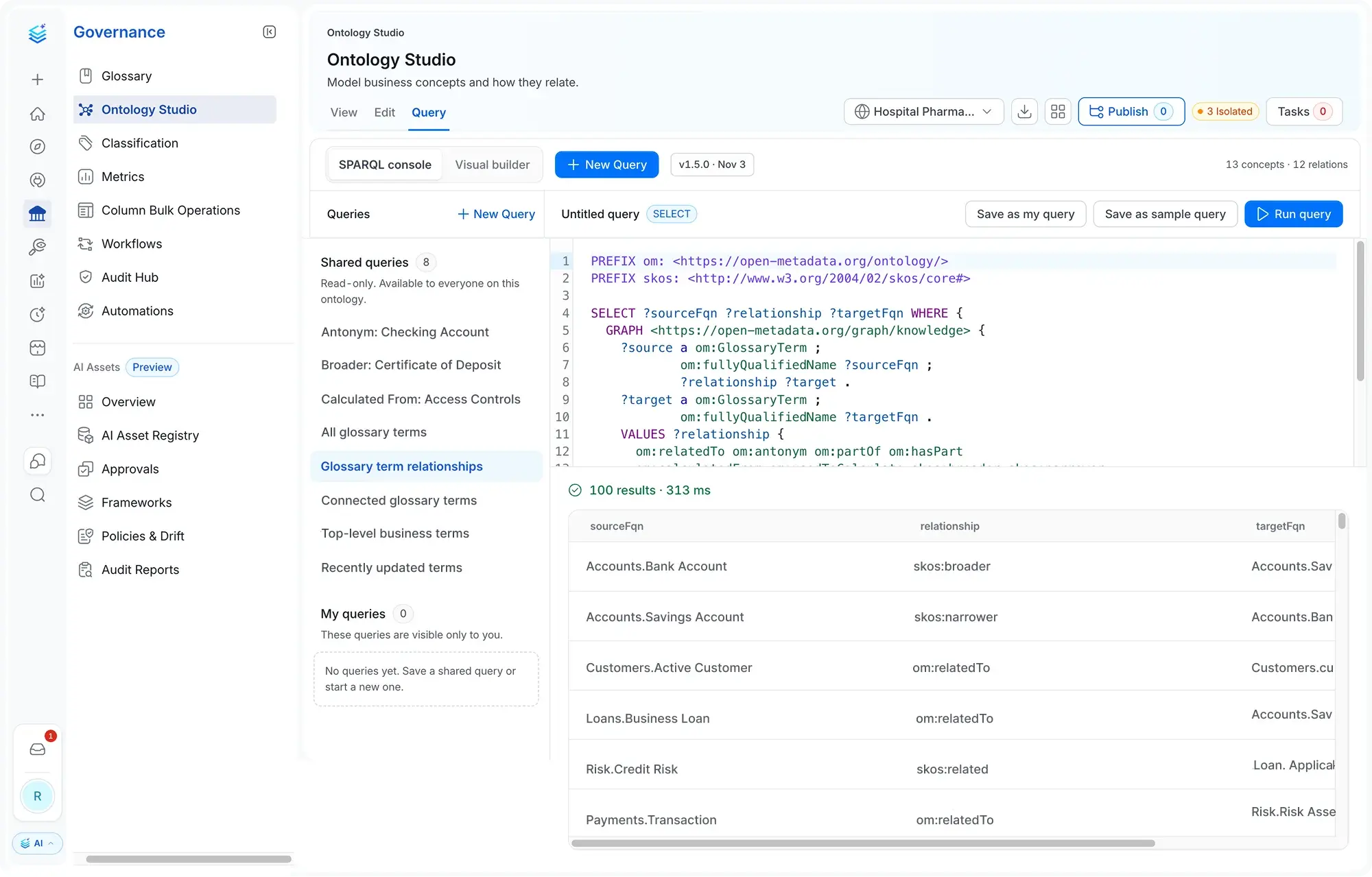
Expose the model to agents and people, with the query behind every answer
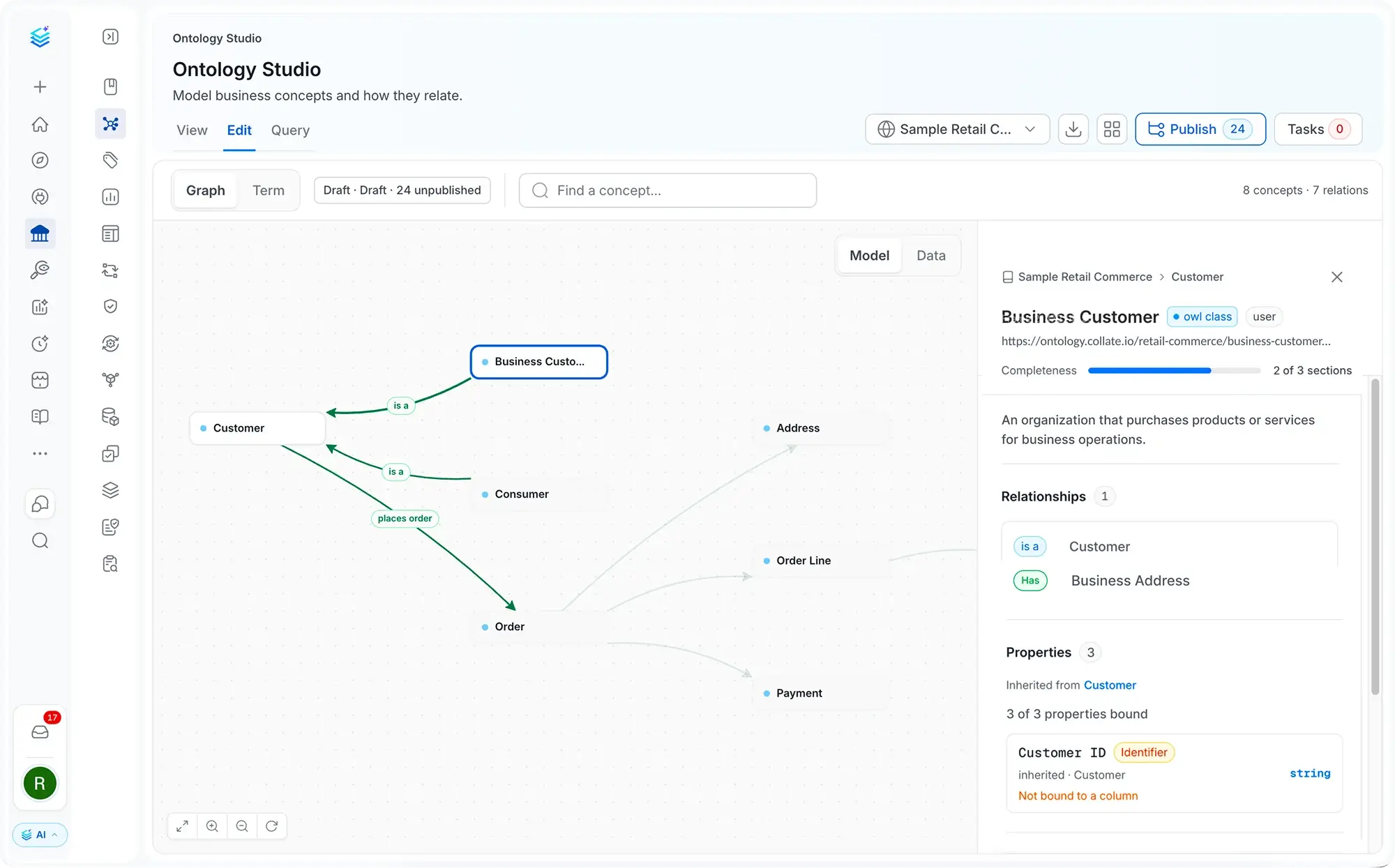
Model your business concepts
Give every concept the properties and relationships that define it
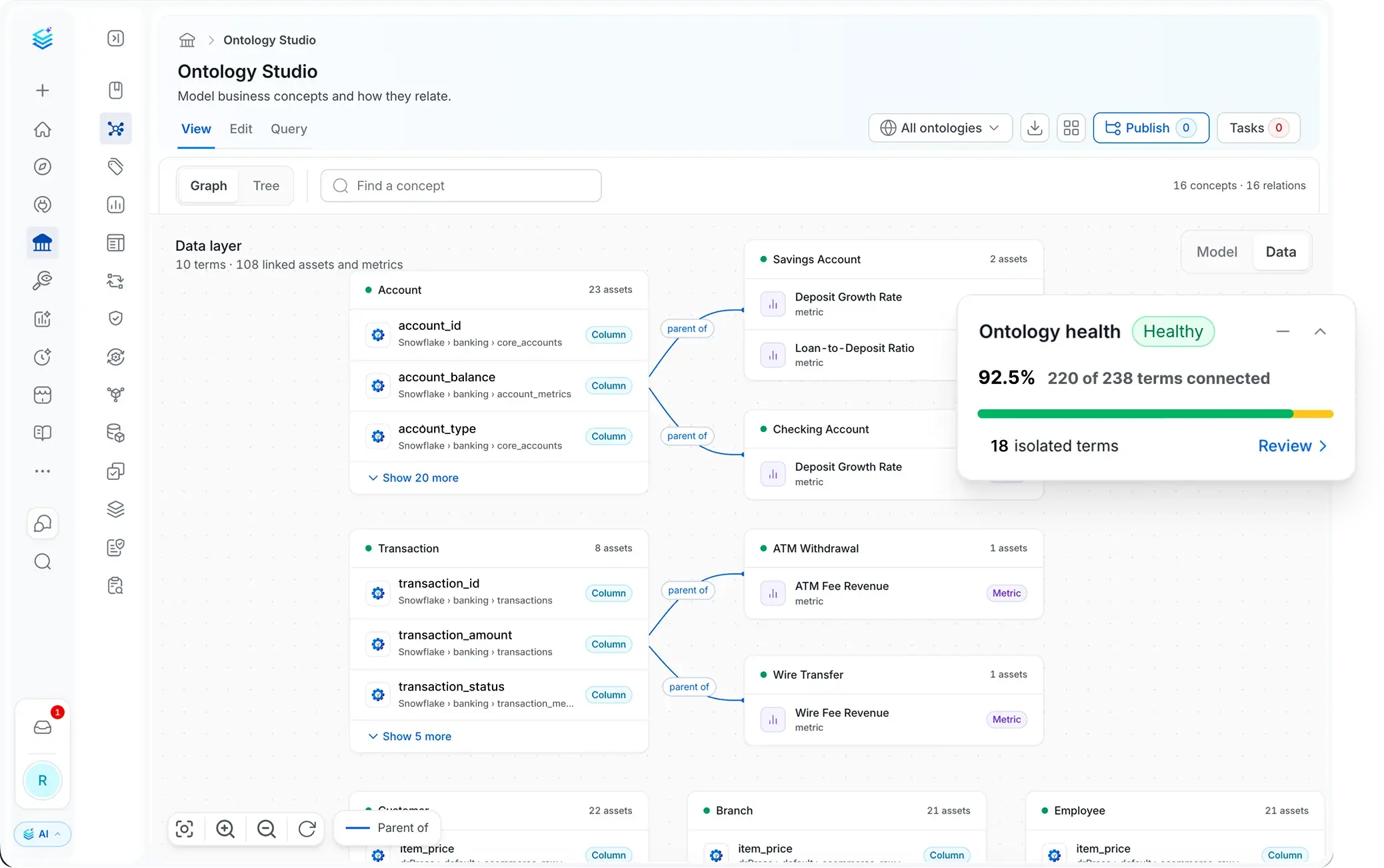
See which data carries each concept
Bind the business model to the underlying data and find the gaps
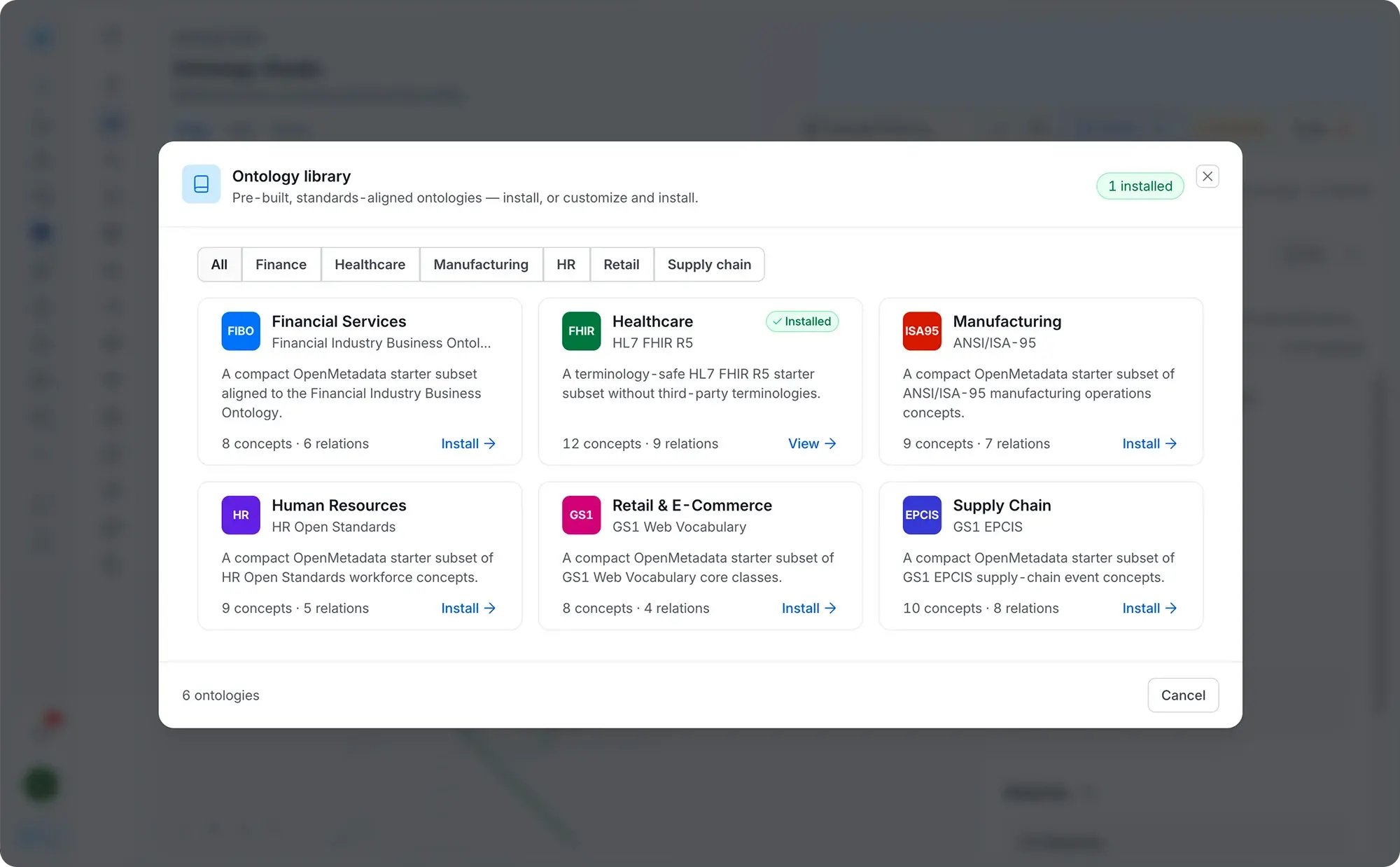
Start from a standard. Take it anywhere.
Begin with an industry ontology, extend it for your business, and export it whenever you want
Built for modern data & AI practices
Designed for changing needs of data & AI teams
AI-Driven Automation
Improve productivity, enforce governance and reduce costs with AI driven automation
Unified Platform
One platform for all your teams for data discovery, observability and governance
Collaborate Around Data
Accelerate development of data assets with social workspaces and knowledge centers
Get started with Collate today for free
Get Collate FreeManaged Service for Production Data Teams
Book a DemoFAQs
An ontology is a model of the things a business cares about, written in a form software can act on. Each concept is a class with its own properties, so a Customer has an ID, a name, and an address. Concepts connect through typed relationships, such as an order belonging to a customer or a metric being calculated from others. Standards like OWL and SKOS define how those models are written and exchanged.
An agent can read tables and columns, but a schema says little about what the data means or which business rules apply. An ontology gives the agent the concepts, properties, and relationships the business uses, so it can follow them instead of guessing from names. When the ontology is bound to the data, known as concept realization, the agent knows which tables represent each concept.
Ontology Studio is the workspace in Collate where you build a business ontology, bind it to your data, and make it available to AI agents. You can view, edit, and query the model in one place. In Collate, it replaces Ontology Explorer, adding authoring, standards-based import and export, and agent access. It is the meaning layer of the Collate context platform, alongside the metadata that describes your data and the memory the platform builds up over time.
Collate exposes the knowledge graph through its MCP server as different graph tools: ontology_describe, sparql_query, entity_neighborhood, find_by_tag, and shacl_validate, which an MCP client such as Claude, Cursor, VS Code, or Goose can call. An agent working through them can return the query and the relationships behind its answer, which makes the answer verifiable.
Yes. Ontology Studio is built on OWL and SKOS, the W3C standards for ontologies and vocabularies. You can inspect the model, validate it against SHACL shapes, and export it with its identifiers, definitions, relationships, and data mappings, so it works with the platforms and agents you choose.
Ontology Studio imports and exports standard ontology formats such as OWL and JSON-LD, with optional SHACL validation. The Ontology Starter Library adds six packs, including FIBO for financial services and HL7 FHIR for healthcare, plus packs for retail, supply chain, manufacturing, and HR.
Only one person can edit the model at a time, so changes never collide. Deleting a concept first shows what it would break. The ontology carries the same ownership, access controls, and audit trail as the rest of Collate.
No. Your metadata stays in the MySQL or PostgreSQL database Collate already uses, and that database remains the source of truth. Collate keeps a graph copy of it in sync automatically, and the graph is what powers SPARQL, validation, and the agent tools. It ships with your existing deployment, so there is no separate graph database to set up, license, or migrate to. The graph holds the model, not your rows: queries still run in Snowflake, Databricks, or wherever the data lives.
They work together. Ontology Studio is independent of query engines and does not replace a semantic layer or a metrics store. Where those tools define metrics, Ontology Studio models the business concepts those metrics belong to, binds them to the assets that implement them, and exposes that model to agents. Teams run both: the ontology tells an agent which definition applies and where the data lives, and the query still executes in Snowflake, Databricks, or your semantic layer.